Buy anything from 5,000+ international stores. One checkout price. No surprise fees. Join 2M+ shoppers on Desertcart.
Desertcart purchases this item on your behalf and handles shipping, customs, and support to Senegal.
๐ Elevate your workspace: Power, speed, and clarity in one sleek hub!
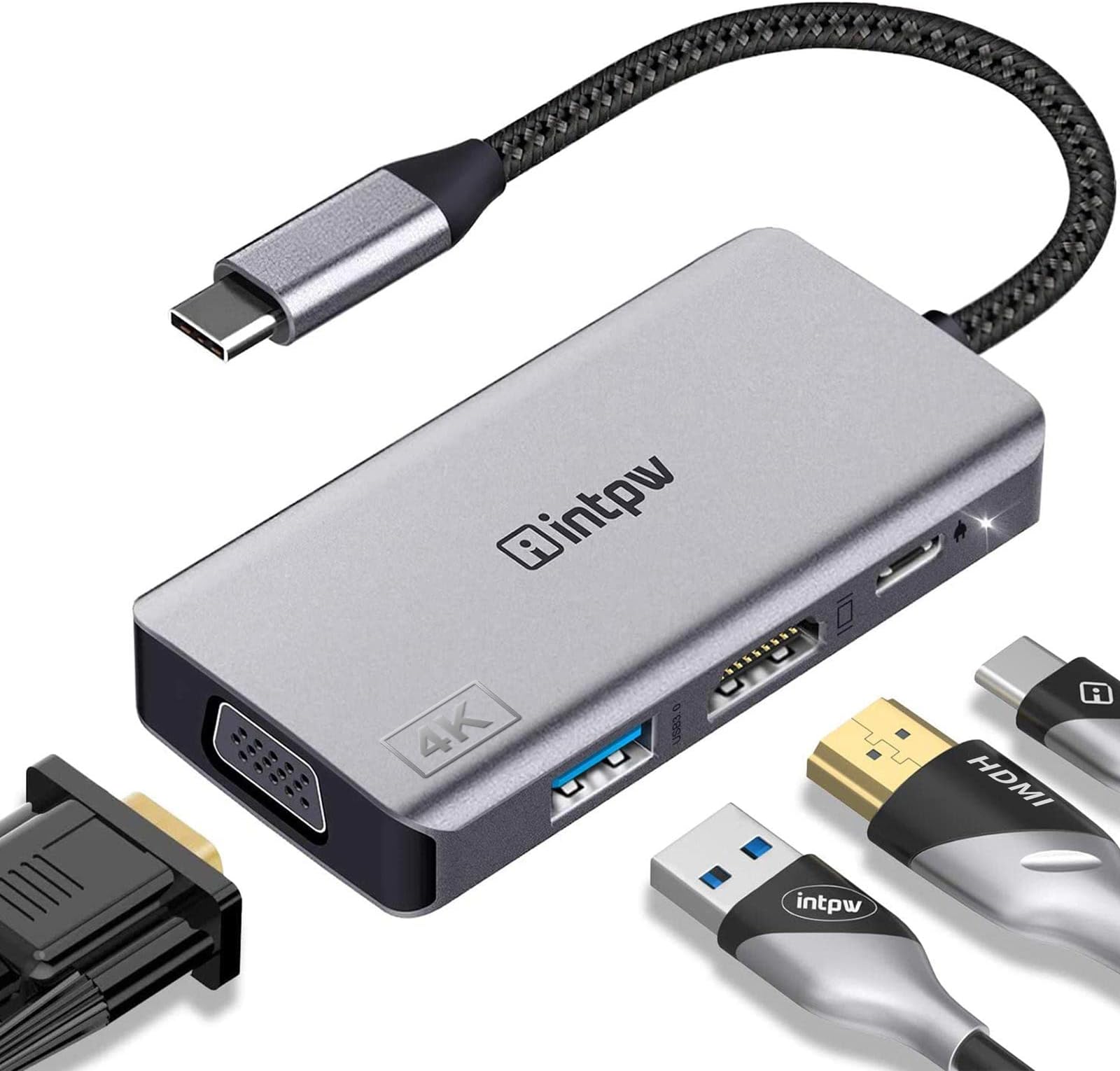
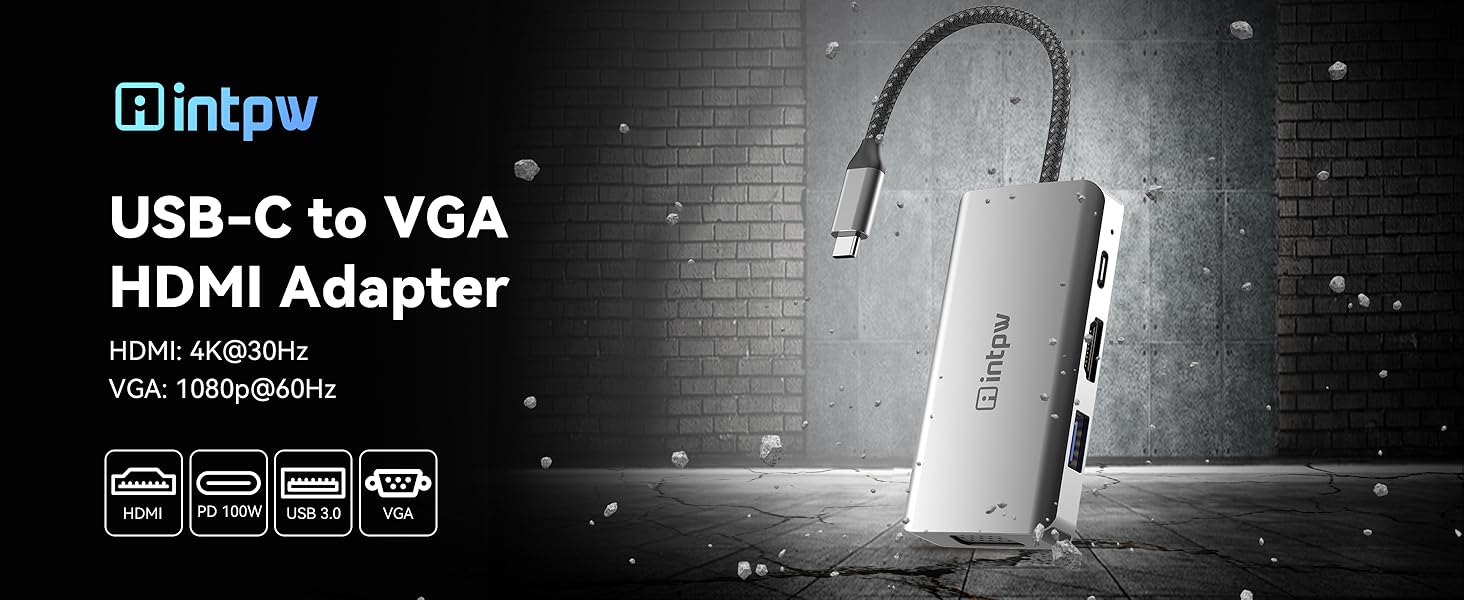
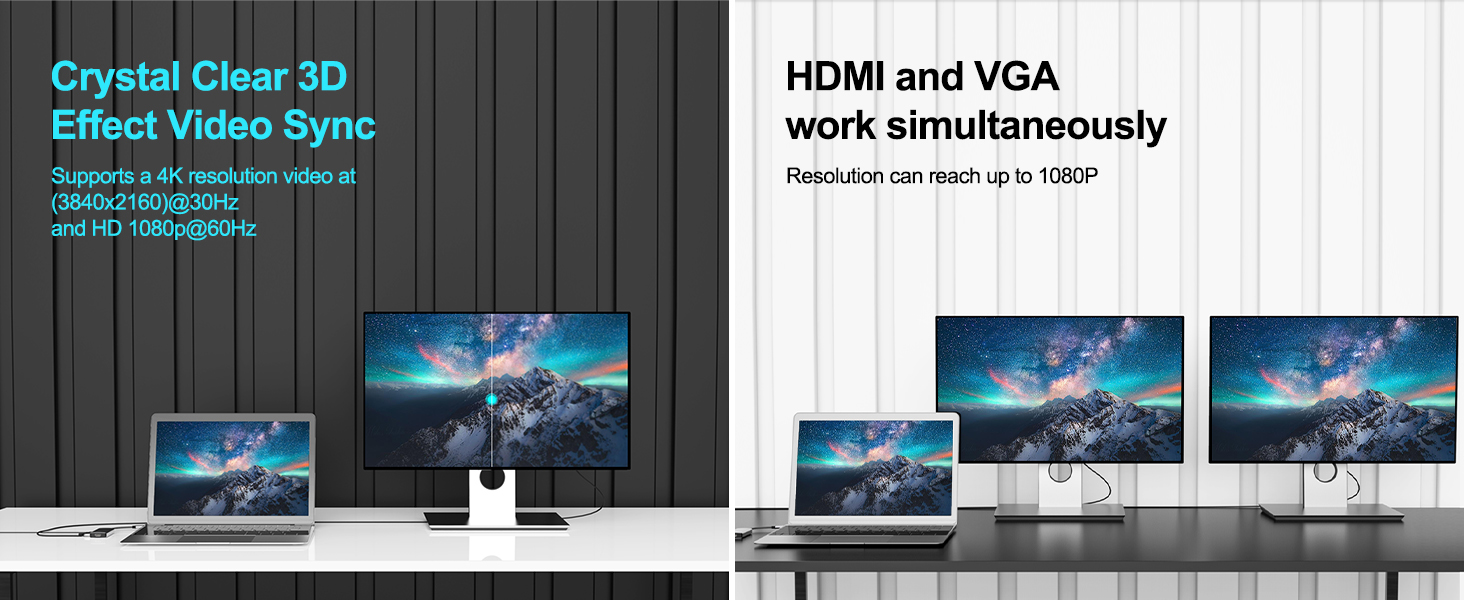
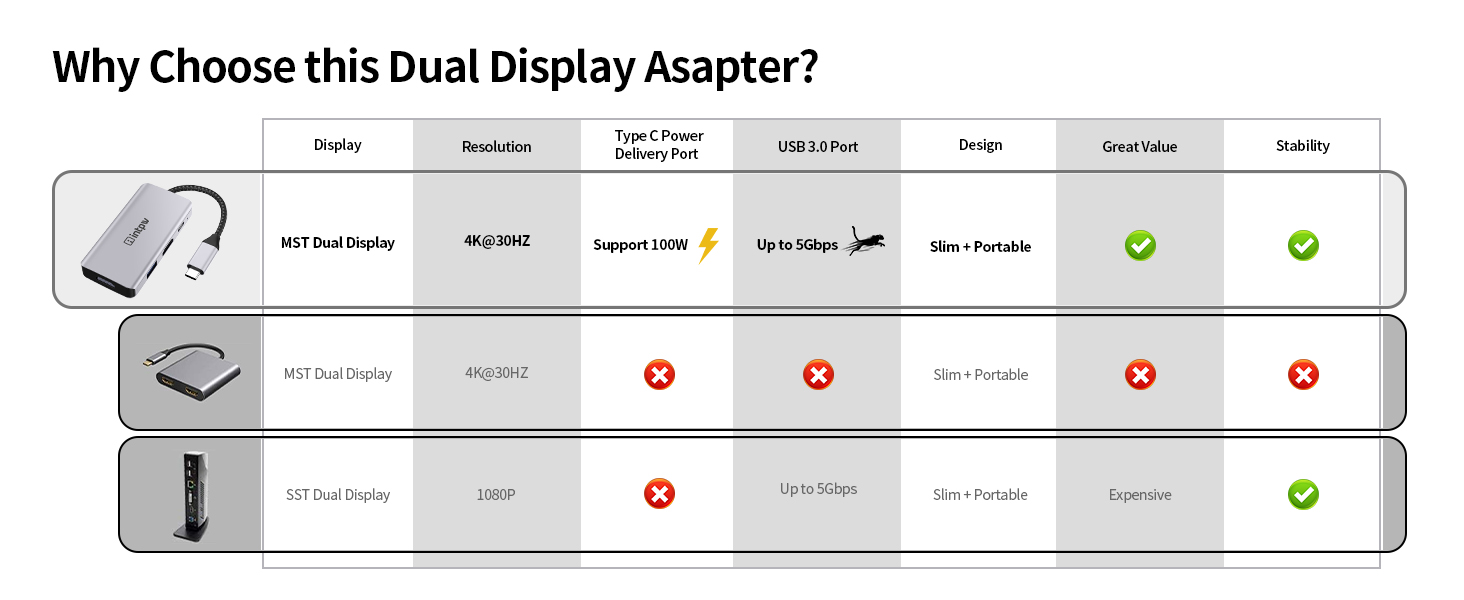
The intpw USB C Hub is a premium 4-in-1 adapter featuring 4K HDMI and 1080P VGA video output, 5Gbps USB 3.0 data transfer, and 100W PD charging. Designed for professionals using MacBook, iPad Pro, Dell XPS, and other USB-C devices, it delivers seamless multi-display support and fast data handling in a compact, durable aluminum bodyโperfect for presentations, remote work, and creative projects.


| ASIN | B07R7SM2S9 |
| Additional Features | Anti-Slip, Fast Charging, Fast Data Transfer, Lightweight, Pass Through Charge |
| Best Sellers Rank | #29 in USB-to-VGA Adapters |
| Brand | intpw |
| Color | USB C to HDMI VGA Grey |
| Compatible Devices | PC |
| Customer Reviews | 4.5 out of 5 stars 2,202 Reviews |
| Data Transfer Rate | 5 Gigabits Per Second |
| Enclosure Material | Plastic |
| Hardware Interface | HDMI , USB 3.0, USB Type C, VGA |
| Item Dimensions L x W x H | 3.54"L x 2.13"W x 0.55"H |
| Item Weight | 0.01 Kilograms |
| Manufacturer | intpw |
| Mfr Part Number | intpw |
| Model Number | 8541670342 |
| Number of Ports | 4 |
| Operating System | Mac OS 9, Windows 10, Windows 7 |
| Special Feature | Anti-Slip, Fast Charging, Fast Data Transfer, Lightweight, Pass Through Charge |
| Total USB Ports | 4 |
| Total Usb Ports | 4 |
| Unit Count | 1 Count |
J**.
works as described
I have tested 3/4 ports. My mac charges when power is thru adapter, the HDMI works, the USB C port works. Have not tested the VGA, but will be doing that soon as need it to go to a projector.
E**O
More ports for Neo!
Good device for my new MacBook Neo, letting me use several ports including the power.
M**A
I like it !
Functions well and works with many attachments. Itโs easy and quick to connect, with good sound quality, though it is a bit bulky
H**.
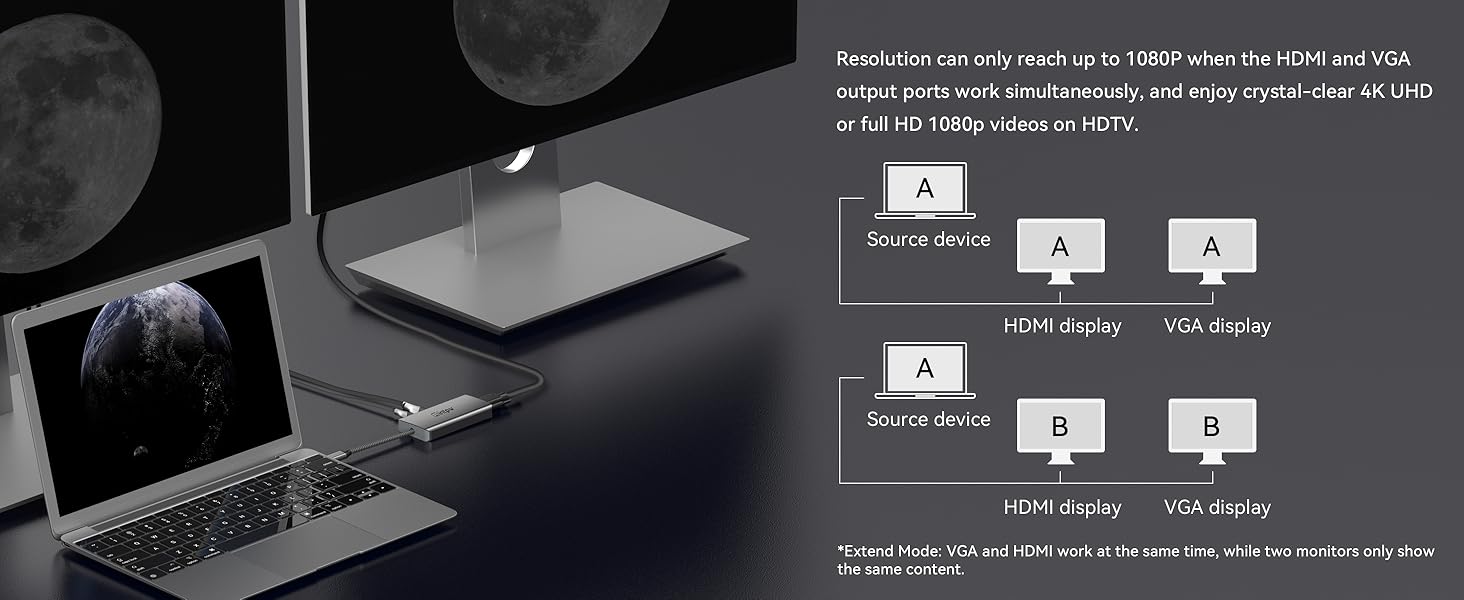
Poor man's docking station
UPDATE: Note, get a dual-monitor adapter for those who want to connect two monitors. I tried connecting using the VGA and HDMI slots. The monitor connected via VGA extended my laptop screen no problem but the one connected via HDMI was only able to duplicate the laptop screen but would not extend. ************************************ I have a Lenovo docking station at work to plug in my laptop and extend my laptop screen to 2 large monitors. The docking station is way too expensive (couple hundred dollars) to duplicate at home. I have a large monitor with a VGA connector which my Lenovo ThinkPad doesn't support. This adapter allows me to use my VGA monitor with my laptop. One pleasant surprise is that I can plug in my laptop charger into the USB-C slot and then I would just have one USB-C connector into the laptop (just like the Lenovo docking station). This adapter/docking station is very light so it's portable. The only odd thing (though not a dealbreaker for me) is that the VGA slot does NOT have side screw holes to anchor the VGA cord with the twin screws. The adapter has a tight fit with my VGA connector so it still works without the screw holes. Given that it's about 1/10 the price of the Lenovo docking station, it's a great inexpensive option for those home offices. Be sure to review your connector needs before purchasing this adapter.
E**W
Works fantastic with my Samsung Galaxy S23 Ultra
I do mission work and seminar presentations occasionally, teaching using PowerPoint slides, which I copy onto both my MS Surface Pro laptop and Samsung S23 Ultra phone. On my last trip, I inadvertently left my DisplayPort to HDMI adapter for my laptop at home, and my USB-C adapter for my phone wasnโt casting the image correctly (my Samsung phone was going into DeX mode (yuck - a user error โ needed to turn Automatic DeX mode off)). So I had to use someone elseโs old laptop for the PowerPoints (an old laptop running old PowerPoint software that couldnโt play the embedded videos). At any rate, I purchased this All-in-One adapter and tested it out with my phone and projector in various configurations. VGA/computer display works. HDMI works, plugged my clickerโs receiver into the USB-A port โ clicker works. Charge through the USB-C power port. It works. Sweet! The device all works as it should. Canโt speak to longevity, but so far I highly recommend this adapter over ones that just have an HDMI or VGA output (which I have as well). This just gives you lots of flexibility and options. By the way, the HDMI and VGA ports output the same signal. So you could send one signal to a TV for the speaker and another for the projected image behind the speaker. Yes, I recommend.
8**S
Excellent replacement
Needed to replace my old adapter. This was just what I needed.
K**R
Great docking station!
This is a great docking station, offering multiple different connector types, all in one compact unit. We have several of these in our small office that we use on all our laptops. Tech support from this US-based company has always been excellent. Cannot recommend these units or this company highly enough.
A**R
Itโs okayโ with update.
The product does what it needs me to do but the USB C port does not work at all. So here is the update. The seller reached out to me and offered me either a replacement or a refund. I told them that I was outside of the return time. The seller still offered me the options. I chose the replacement. I just got it today and it works perfectly. I so appreciate the seller for their great customer support. I will definitely be doing business with them again.
W**G
So far great
Worked with vga and hdmi no issues first week
B**T
Works well
It does everything that I wanted it for. No surprises. New laptop USB-C port sends video nicely to my old display with VGA. Simultaneously, reads thumb drives well.
J**6
Works well so far
Tried a cheaper unit from a different manufacturer but whilst the VGA worked, I couldn't get the USB C to work at the same time. Both work at the same time on this device.
R**Y
Works a treat
One thing, both the VGA and HDMI will show the same content. For me this is fine as I have a VGA monitor on the desk and the HDMI connects to the TV.
A**R
Works well with Macbook Air
Gives me HDMI + VGA ports on my Macbook Air. Works well. Happy.
Trustpilot
1 week ago
1 month ago