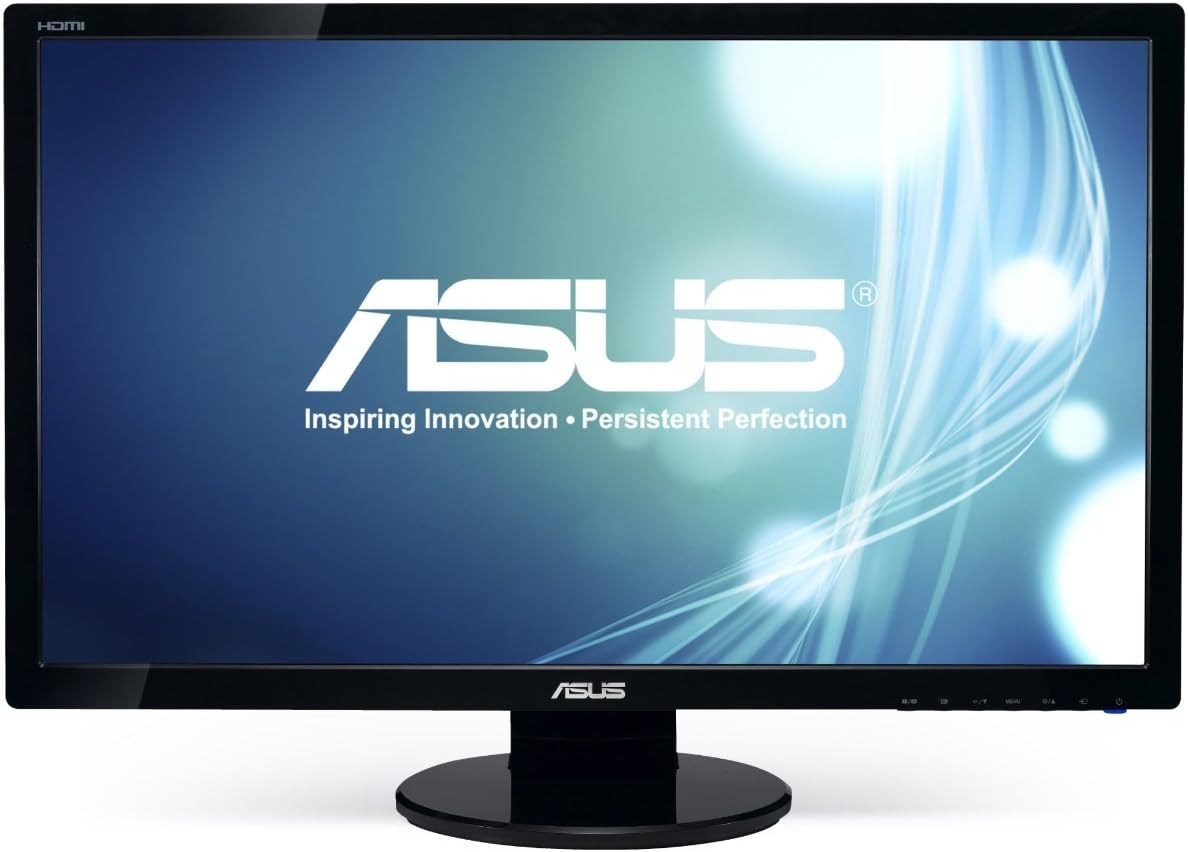
🚀 Elevate your screen game with ASUS VE278H — where speed meets stunning clarity!
The ASUS VE278H is a 27-inch Full HD LED monitor featuring a 1920x1080 resolution, 2ms response time, and dual HDMI plus VGA inputs. Designed for professionals and gamers alike, it offers smooth visuals with Splendid Video Intelligence technology, built-in stereo speakers, and energy-efficient LED backlighting. Backed by a 3-year Rapid Replacement warranty, this monitor delivers reliable performance and versatile connectivity for a clutter-free, immersive experience.


| ASIN | B0099XBO5E |
| Additional Features | Built-In Speakers, High-bandwidth digital content protection, Kensington lock, No, Plug and Play |
| Aspect Ratio | 1.78:1 |
| Best Sellers Rank | #429,710 in Electronics ( See Top 100 in Electronics ) #8,308 in Computer Monitors |
| Brand | ASUS |
| Built-In Media | Camcorder & Camera Accessories:Digital Camera Accessories |
| Color | Black |
| Compatible Devices | Gaming Console, Laptop, Desktop |
| Connectivity Technology | HDMI |
| Contrast Ratio | 1200:1 |
| Customer Reviews | 4.6 out of 5 stars 1,397 Reviews |
| Display Resolution Maximum | 1920 x 1080 Pixels |
| Display Technology | LED |
| Display Type | LED |
| Hardware Connectivity | HDMI, USB 3.0, VGA |
| Has Color Screen | No |
| Image Contrast Ratio | 1200:1 |
| Item Dimensions D x W x H | 21"D x 33"W x 44"H |
| Item Height | 17.54 inches |
| Item Type Name | ASUS VE278H 27" Monitor Full HD 1920x1080 2ms HDMI VGA Back-Lit LED Monitor |
| Item Weight | 5500 Grams |
| Manufacturer | ASUS Computer International Direct |
| Model Name | VE278H |
| Model Number | VE278H |
| Mounting Type | VESA mountable (100 x 100mm) |
| Native Resolution | 1920x1080 |
| Number of Component Outputs | 2 |
| Picture Quality Enhancement Technology | Splendid Video Intelligence Technology |
| Processor Count | 1 |
| Refresh Rate | 60 Hz |
| Resolution | FHD 1080p |
| Response Time | 6 Milliseconds |
| Screen Finish | Glossy |
| Screen Size | 27 Inches |
| Screen Surface Description | Glossy |
| Shape | Rectangular |
| Specific Uses For Product | personal |
| Total Number of HDMI Ports | 2 |
| UPC | 886227253838 |
| Warranty Description | 3 Years with ASUS Rapid Replacement Service |
A**E
JUST SIMPLY AWESOME
First of all I got this monitor for $229.00 brand spanking new and I still haven't sent out my rebate form to get $20.00 back. I was supposed to get it delivered [FREE SHIPPING] in 5 to 8 days...I GOT IT IN 3 DAYS. Everything that was supposed to be included in the box was there, nothing missing. The instructions are a bit convoluted because they are in so many Languages [ALMOST BACK TO BACK] but you really don't need it to set up the unit. Connecting the base to the monitor takes less than 5 Minutes and the setup for this is even printed on the box itself. As a matter of fact, the unit is so well packed and the box has its own built in handle that I kept the box in case anything should go wrong with it in the next 3 years. The warranty is excellent because I use my setup every single day , year in and year out so I guess I will be replacing monitors every 3 years. Now right out of the box, without any adjusting of the screen settings, the monitor looks awesome. The colors jump right out at you and if you're a gamer you will not be disappointed. I was playing CNC3 Tiberium Wars on my NEC MultiSync FB2111 SB FLATSCREEN CRT Monitor and it looks good but on this Asus not only does it look good but I can now see so much more of the game. One thing I will say, my NEC MultiSync CRT monitor actually blows away many of these flat screens hands down. I can see a difference between the two and the CRT actually has a slightly better color output than this monitor...but Remember that I have not yet even adjusted this unit nor have I played with the different modes on it. Also for those of you who have to pay an electric bill, well, my NEC MultiSync CRT uses 115 watts of power but this unit uses only 45 watts so that's cutting down on the monthly cost. There is a little light bleed through on the corner edges of the screen [VERY LITTLE] but this is normal and you have to actually look for it and it also depends on the image [STILL IMAGE] that's being shown. During gaming you won't even know it's there and if you're using this for music production then you're going to see a whole lot more of your program than what you thought was possible. The fact that it has a VGA is really good for those who still are using video cards with this old feature on it but since it has 2 HDMI ports it makes buying a switch box if your using 2 computers a thing of the past. No dead pixels, no ghosting while playing, huge viewing area, energy friendly, easy setup, well packed, early delivery, I am very happy with the unit. I plan to buy another 27" Asus if they have one with a higher resolution and 1MS Response Time but if they don't then I will just buy the same one.
B**B
Dead pixels expected-Still a great display!
When I bought this monitor I knew that it could potentially have up to 5 dead pixels, before ASUS would care... but I still purchased it, because at this price with the features it has, it's a steal (though I do still think that's a ridiculous policy!). When my monitor arrived I powered it on to see that it had 1 dead pixel. Every time there's a black screen displayed, it makes me think "that sucks", but honestly when I'm doing anything else I don't notice it. For the price mark I'm completely satisfied, and everything else about this monitor feels extremely high quality. I was pleasantly surprised to see that the glossy finish on it, isn't exactly super prone to finger prints like my older 24" LG monitor was, and thus far I haven't got it too disgusting looking. It's got a sturdy feel, and a little bit of weight to it (which I find to be a good thing). I have this monitor paired next to my 27" 2560 X 1440 imac display, which is the best display I've ever physically seen (though, I mostly run windows with it), and I'm always pleasantly surprised, when I bring a window from the imac's display over to this display, at how close the images look (minus the size due to resolution differences). This thing really does have an astonishing picture quality. Also I was impressed with all of the cables ASUS shipped it out with 3.5mm auxiliary cable, VGA, and even DVI to HDMI (since the monitor doesn't have a DVI port). I'm used to opening a monitor and just seeing a VGA cable, so kudos to ASUS. I don't even want to waste my time talking about the sound... when I buy a monitor I don't really care what it sounds like. I'm passed the point of expecting a monitor to have great sound, and I'm not sure who would buy a monitor hoping that the sound is amazing. I was just happy it has the option, so when I take it to LAN parties, I can hear anything at all when I want a break from my headset, but I guess be aware others have complained about its sound quality, but in my opinion anyone that cares that much about sound would already have speakers to plug in. All in all, know that you might have a dead pixel or two, but at the same time recognize that this monitor is still worth looking at. Its price makes it affordable for almost any monitor budget, and I could see this monitor being a great upgrade point for someone on a smaller, or non LED display.
A**I
The ultimate for simple gaming
Out of the box the display took a bit of tweaking like any new display. Setup was super easy and didn't require any tools which is always nice. In my case, I have this sitting to the side of an Asus PG43UQ which is a 43" 4K HDR1000 screen that packs a serious punch and this little screen has enough quality to it that it can sit next to it without looking horrible unlike the old Dell display it replaced. Backlight brightness is a lot more powerful than I expected and I get 350 nits after tuning. Performance wise, color gamut coverage and volume isn't exactly amazing but its easily good enough for gaming and typical usage. This display definitely is not intended for use with photo or video editing since its a TN panel right from the start. I ran a quick 15 minute colorimeter (Spyder X with DisplayCal) analysis on it to get it tuned. Keep in mind every display is different so the RGB settings on mine may not be perfect for all. Here are my settings on the display tuning for optimal picture with everything unlisted left stock: Splendid: Standard Mode Contrast: 79 Color Temp : User R:100 G:98 B:97 Smart View: Off Trace Free: 40 For color temp I recommend "Warm" if you don't have access to a colorimeter as that setting was closest to my manual RGB tuning. Measured color performance: Gamut Coverage 95.5% sRGB 69.7% Adobe RGB 74.8% DCI P3 Gamut Volume 108% sRGB 74.7% Adobe RGB 76.8% DCI P3 The key from this info is the display is not suited for reference grade work but its quite sufficient for gaming with its excellent sRGB color space performance which almost all games are designed for, especially what most people are going to run on a 1080p 60hz monitor like this. This still looks totally fine watching YouTube and Netflix casually however. Overall, I'm happy to say that for a standard of standards and at low cost this monitor looks pretty nice. Its not flashy like the monitor it sits next to but it holds its own and anyone looking for a simple screen that should last forever playing Minecraft this is it. Another note, anyone looking to squeeze the maximum out of their displays cannot go wrong with a Spyder X Pro colorimeter. Buy the Pro since software bundle is the only difference next to the Elite and then download DisplayCal since that software is free and has better capabilities than the stock software anyway. If you like it, PLEASE support DisplayCal with a donation to help keep development running! No, I am not associated with any of these brands haha.
A**Y
Awesome Monitor, Amazing Price.
So I picked up this 27in monitor about 3 days ago (1 day late). So far I am blown away by it. I got it for my (non gaming) PC, aswell as my Xbox One S. I had previously been using a 42" Vizio TV. I assumed for $175 ($190 after tax) that I would get something halfway decent, but what I got was much better than expected. It's a 1080p 60hz monitor. A lot of people are snobby about that and just HAVE to get 1440p 144hz displays. I don't have a need for that, nor do I have the money for that. This thing may not have those bells and whistles,and but let me tell you, the picture looks wonderful. First thing was hooking it up to my Xbox and starting up Battlefield 1. This game looks literally twice as awesome on this monitor compared to my TV. Colors are vibrant, textures just look better, it's great. Heck, even the menus looked significantly better! Another thing I noticed right off the bat was the response time. It claims 2ms GTG and I believe it. I feel like I'm more in control on FPS games, racing games, and really everything. You see people buying Ben Qs with 1ms response time for 2x the money. I see no need unless you are a competitive gamer that does tournaments for cash or something. This thing is plenty quick enough, and I genuinely felt myself winning more gunfights than before. This thing also has built in speakers, and to be honest they're just mediocre. However, for $175 most monitors don't even have speakers, and these are good enough for basic stuff. I have a headset, aswell as a surround sound system hooked up to it, so I don't even need them, but if you had to use them they'd work until you could afford an upgrade. As much as I love this display, I have to touch on a couple flaws. Firstly, I'll start with the brightness. This thing is f***ing bright. I mean it hurt my eyes to where I had to take a break. The thing is, when you drop the brightness to a comfy level, the picture just doesn't look as vibrant. It's really a shame, although my eyes have adjusted to it fairly well now. Next up is the text. It just doesn't look as sharp as other displays. I'll kind of excuse this one because I got the 27in and it's 1080p, and also because some adjustments in Windows mostly cleared it up. Nonetheless, it's still worth mentioning if someone plans on using this for long periods of reading/typing. The smaller size may work better for you in that case. All in all I give this a 4/5. I never give anything 5 stars simply because nothing is perfect. I wish I could give it a 4.5 because it deserves it. If you're looking for a cheap gaming monitor, this is what you want. I highly recommend it.
V**S
Beautiful 27inch screen.
Update: 7/28/2019. Still no issues, it is aging well, speaker still works fine like day 1. No dead pixels or anything wrong with the screen. It also survived when I moved into my new place. I thought about upgrading to a new monitor eventually but I don't see as point as this one still works fine 6 years later. Update 2/9/17. I have had this since before Christmas 2013. It is still going strong, I have not had a single issue with it at all. It is a 1080p monitor. Everyone who has seen it loves and is always asking where I have gotten it from. It has survived 2 moves for college and the box it comes in makes a great way to store it while moving. No dead pixels, and colors are still as vibrant as Day 1. Can't wait to start gaming on this. I was a bit scared at first because so many of the reviews on here kept saying they had to send it back for dead pixels. Luckily I have encountered no dead pixels. This screen is very bright, when looking at a predominately white background it pretty much has my room lit up. For me this is great because everything is nice and clear, colors are correct and I have plenty of room to see and do what I need to do.
M**O
Can't go wrong with Asus
I had been using a 23.5" monitor for quite a few years. My daughter had an Asus monitor and every time I would see hers and then go back to mine, my picture looked rather dull in comparison. Decided I wanted a new monitor and then figured I would get a bigger 27" to expand my view. After repeated viewings of my daughter's Asus, it was pretty much of a no brainer which one I was going to get. Decided on this one and I'm not disappointed. Going bigger is easier on my old eyes and the display on this is splendid. A note on speakers. I have a 5.1 speaker setup on my computer. This monitor has built in speakers which my previous one did not. When I hooked it up, sound was coming from the monitor speakers and not my computer's speakers. I was not happy for a minute (as the monitor speakers are not very good in comparison). Then I went to control panel/sound and saw since the Asus monitor had speakers, Windows had changed the default sound to the Asus monitor. Changed it back to my computer speakers and all was well. Another note. If you want the straight HDMI connection on both ends, you have to provide your own HDMI cable. This monitor comes with a cable that has HDMI on one end (as this monitor does not have a DVI connection) and DVI on the other end that hooks up to your video card. Perfectly fine, especially if your video card doesn't have a HDMI connection. Just don't use the VGA connection, old tech and won't do the monitor justice. Anyway, good monitor. Asus makes good stuff, no doubt about it. BTW, some have commented here about this not being an LED monitor. It is. The "LED" tag that is put on monitors refer to being LED backlit which this one is. It's just a branding deal. Some monitors use the name LED and some use LCD with LED backlit. Both are the exact same thing. As far as no drivers for this monitor, Asus doesn't provide them if they are not needed. There would be no difference from the Windows stock monitor drivers.
J**N
Buyer beware. Read this review before purchasing
Let's get one thing straight first, this monitor has a very nice picture when it's configured properly. Out of the box it has way too much red. It's very bright, and vivid. The contrast is truly amazing. If you're a gamer like myself, and sit about a foot to a foot and a half away from the monitor, this resolution isn't for you. I'm thinking of going back to my 24" because it's very rough on the eyes. This monitor is best viewed 4 to 6 feet away. With that being said. the first monitor I received had a stuck red pixel as soon as I powered it on. Amazon took great care of me by exchanging it and sending me a new one right away, thank you Amazon for your great support. As I'm writing this (two days after receiving a replacement) I'm staring at another stuck pixel, but this time it's blue. I also do my research for everything I buy and I read a lot of positive reviews about this model. I too chose to ignore the reviews that mentioned dead pixels and by the looks of it, yes this does appear to be a common issue with this model, so please take that into consideration. I wanted to like this monitor because it offers everything for a great price. 27", LED, 2ms, great contrast, but the product itself isn't made very well and for the long run, I'm not expecting it to age well. I'm rating this a three because it's still a great monitor when it works. Again, thank you Amazon for making this exchange as hassle free as possible.
K**N
Great Monitor
I've needed to upgrade my old monitor for a long time, and after my old one developed a problem it became imperative. I had a 22" and was looking at 24", when my wife asked what I really wanted. I had a 26" at work and loved the space, but it seems now 27" are more available. I bit the bullet on this and am glad I did. We use Asus monitors at work and have been very pleased with them, so I knew I wanted an Asus. This arrived very quickly and in good shape, no dings, no dead pixels. It did require a little tweaking of the settings but they all do. Once adjusted, it has a beautiful picture, with plenty of brightness, contrast, and adding just a touch of saturation to make all the colors pop. The dark grays, which always look patchy on LCDs, are barely noticeable, when at all, fading to black very smoothly. The menus are a little different but only took a couple minutes to figure out. The speakers are pretty much a convenience for anybody who is looking for just system sounds - they are pretty awful for music, but I don't use them - you can't get what I use for computer speakers on any monitor. This monitor also fits the monitor alcove on my computer desk PERFECTLY with about 3/8 inch space all the way around the top and sides - which isn't the fault of the monitor, but I thought was pretty cool! Overall I am very happy with this purchase, and highly recommend it to anyone looking for a spacious quality monitor.
Trustpilot
1 week ago
2 days ago