Desertcart purchases this item on your behalf and handles shipping, customs, and support to Senegal.
❄️ Stay Cool, Work Smart — Because Your Laptop Deserves the Best Chill
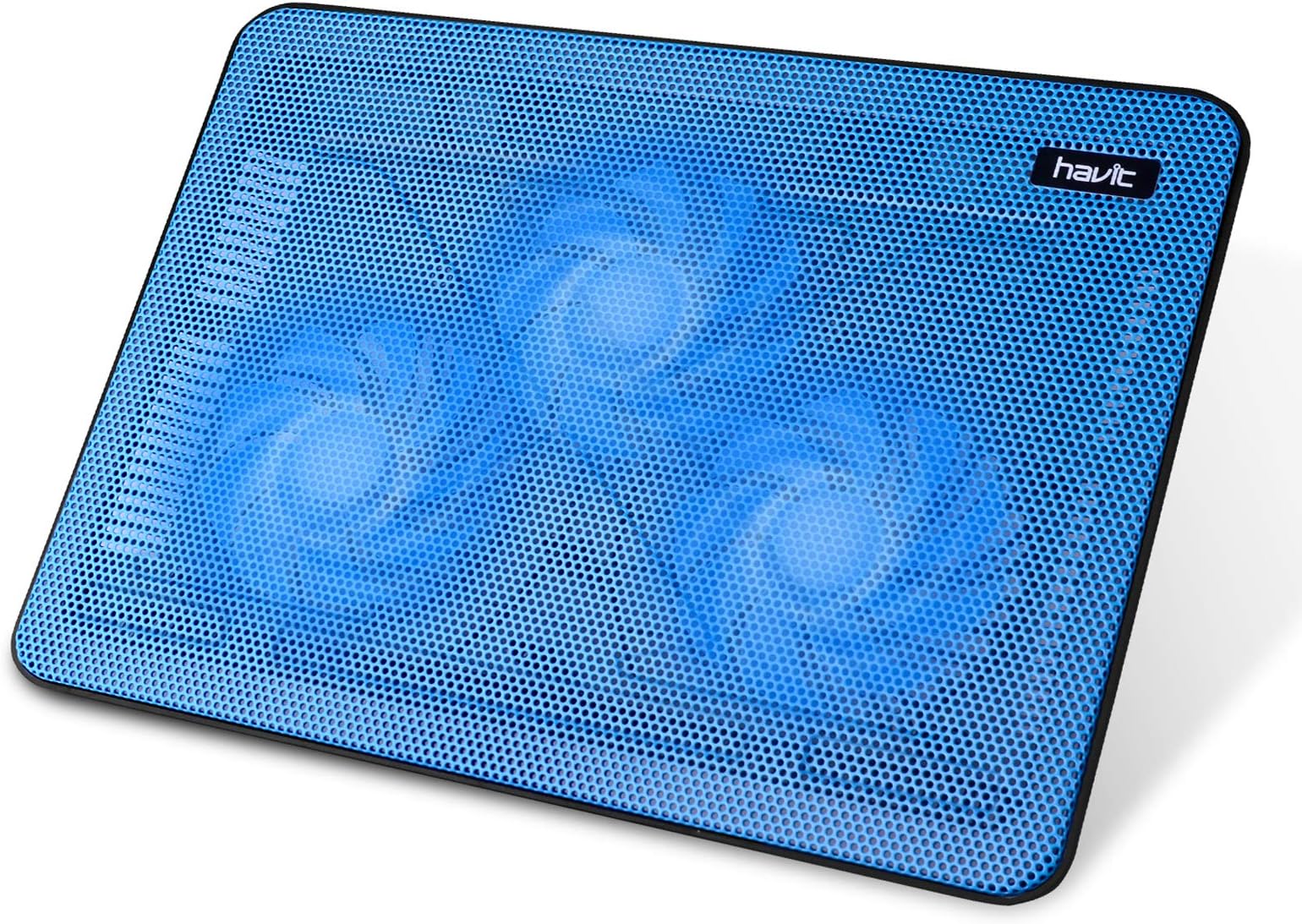
The Havit HV-F2056 is a sleek, lightweight laptop cooling pad designed for 15.6 to 17-inch laptops. Featuring three ultra-quiet 1400 RPM fans, it delivers efficient airflow to reduce heat and extend your laptop’s lifespan. Its metal mesh surface doubles as a stable ergonomic stand with adjustable height settings, while the built-in dual USB hub adds connectivity convenience. Ideal for professionals seeking a portable, noise-free cooling solution for everyday productivity.


| ASIN | B07Q34QC74 |
| Best Sellers Rank | #21 in Computers & Accessories ( See Top 100 in Computers & Accessories ) #1 in Laptop Cooling Pads |
| Brand | havit |
| Color | blue |
| Cooling Method | Air |
| Customer Reviews | 4.5 out of 5 stars 45,090 Reviews |
| Enclosure Material | Metal |
| Item Dimensions L x W x H | 14.9"L x 11"W x 1.2"H |
| Item Weight | 1.6 Pounds |
| Manufacturer | havit |
| Material | Metal |
| Mfr Part Number | HV-F2056-Ablue |
| Model Number | HV-F2056-Ablue |
| Number of Fans | 3 |
| Product Dimensions | 14.9"L x 11"W x 1.2"H |
| Warranty Description | 1 Year Manufacturer |
B**S
Very Nice Cooler but not for Gaming or Heavy CPU Use
I bought the Havit HV-F2056 Laptop cooler and was pleasantly surprised by how nice it fit under my Lenovo P15s LT. My only complaint is that the supplied cord is a bit short, but one can easily order a longer one for a few dollars on Amazon. For general use, internet browsing and so on, it works very well. Exceptionally quiet and provides a decent amount of airflow. I don't care for the blue LED's, but they are hidden under the laptop so it doesn't matter. However, if you are doing anything that max's out the CPU speed or the number of CPU cores used, then this unit is not your best option. I am keeping it anyway for day to day general use because I like it, but purchased another cooler for when I am doing intensive CPU work. Liangstar (on amazon) has one with 6 fans, 3 larger ones, and 3 smaller ones. The controls allow you to set the 3 larger fans on, the 3 smaller fans on, or both sets on at the same time. The specs in the ad tell you the # of RPM of each fan (how fast the fan rotates) so you can get an idea of its cooling. The higher the RPM's, the greater the cooling in general. The Liangstar fans are (3) 1400, (2) 2200, and (1) 2600 RPM, compared with just (3)1400 RPM for the Havit. So one could expect maybe double the cooling from the Liangstar unit. I am using a utility program written by CPUID (a very well know software company) that measures several of the temperatures inside the CPU and on the motherboard. My CPU was running at 95 degrees C with no fan, about 87 degrees C with the Havit, and we will see what it does with the Liangstar unit when it arrives. This is with very intensive optimization routines that max out the # of cores and CPU speed and in an office environment. The temperatures run much cooler with the Havit cooler running when doing more general work, such as using Word, Excel, PowerPoint or just browsing the internet. Generally speaking, the hotter electronic components are running, the SHORTER their lifespan so keeping everything running cooler inside the laptop will definitely make it more reliable and have a longer life. The Havit HV-F2056 is a recommended unit for general computer work. Regards Bobzt Engineer
A**A
Adding years to my Ancient MacBook Pro
I have a 7 year old 16 inch 2019 Macbook Pro. Its been running hot and extremely slow. I've taken it to get checked and they couldn't figure out why it was running hot. I sat it on top of a box, a book, another laptop to try to keep it from running hot. I thought I'd give this a try. What a difference! Its back to working at top speed with no lags. Don't hesitate. I won't have to buy another laptop for a few more years if it keeps running this great! Its no longer hot to touch. The actual pad is very sturdy, quiet. My only criticism: I wish the blue lights could be turned off. I keep this in my bedroom and I see the blue light at night which is not good for sleep.
K**M
It’s As Described , Good Buy
It’s a great cooling fan. I’ve used it under both my Dell and MacBook without any issues, daily. The only downside I’ve noticed is that the USB connection is USB-A to USB-A, so you may want to get a USB-A to USB-C cable for more convenience. If you work at a desk with an external monitor, you can also plug the cooling pad into the USB port on the back of your monitor so it isn’t drawing power from your laptop. Aside from a little extra noise during meetings (which headphones easily fix), it works really well. It definitely keeps my laptop cool when gaming too. If you play Sims, you know how quickly laptops heat up with lots of custom content. The cooling pad makes a pretty big difference. I no longer feel like my laptop is gonna explode. Plus, no more burnt legs from a hot laptop! I’m hoping it holds up. I’ve had it for about three months so far, so I’ll have to circle back with a 6-9 month update.
V**T
Effective device at a "cool" price.
Great price, surprisingly good product. I always find it odd to see an item get 20 5-stars and then 20 1-stars. Possibly some got a an item that came off the production line faulty OR perhaps they travel with it and packed it shabbily, let their 2 year old use it as a Frisbee, etc. I guess there is truth in "YMMV" I think this item looks very sturdy. I plan on keeping it in one place. I have no kids and live alone. Sooo Hopefully, it will still be working fine in several years. Disclaimer is that I just received it today (one of the nice things about Prime membership is getting that IUPS delivery on SUNDAY. Nice surprise. My laptop is OLD - old meaning probably 7 or 8 years old and has dated technology. Dual chips and at this point in it's life, it runs pretty HOT. I am retired, have insomnia and often doze off at 4 or 5AM with computer running, so its on pretty much 24/7 I am amazed it is still running and also know it contains a lot of info that is either very difficult to back-up/store, or just too much of a hassle to spend that much time doing so (and I'm a bit naïve about doing that. So, I plan on buying a new one in a month or so and just want to do the best I can to keep guy running until then. Heat is a big enemy of computers, especially when they start getting as hot as mine has been (prompting me to get the cooling pad, but really, it's a goo idea to use this from day one). It will greatly increase the life and performance of your computer and it's components. This cooler is QUIET, even more so than I expected from many reviews. The blue light? Some found it annoying, but it wasn't at all to me and I actually think its really a nice feature that lets you know it is running, since it runs so quiet (and my hearing not the best). Well, if it runs so quiet, it can't be putting out much air, right? Nope - nice steady stream of air - not hurricane force, but quite sufficient. I opened the box, put it under my laptop on my lap and decided to read up on the 13 pages of questions people asked about it. Just to see how it well it would work. Didn't do any gaming, but did have a number of other programs open and viewing like facebook, some web surfing, reading mail, etc. After several hours where it would normally been almost too hot to touch, it was surprisingly COOL to the touch. Good deal! Very happy with those results and I'm thinking about getting another unit for my PS3 and/or as a back up. A couple of tips: some complained the short power cord seemed to come apart fairly easily. Most cables tend to be that way, especially those on equipment that is moved around much at all. What I do with virtually every power cable phone/USB, etc, is to take a length of electrical tape and wrap both connector ends a number of times at a length of a an inch or so centered right at where the cable meets the connector. A lot of cables have "stress relief" built into them, but I've had these fail as well. The tape reinforces it and helps prevent frequent sharp bending and eventual failure. I am also going to power the cooling pad with an external USB 2.1A charger so as not to draw down the battery or increase any additional heat. Probably an overkill on my part, but I have a 7 port AC powered USB charger that I use for phones and other devices. The pad IS slick and while the "feet" angle it a bit (which makes for better air flow), it also causes my laptop to tend to slide off. I plan on putting several rubber "bumpers" on the bottom of the laptop to keep it stable. Short story long, I am very pleased with the device especially with the cost and that it truly does keep my computer running cool! Would certainly recommend to others, I think you'll be well pleased. Wish I had bought this years ago.
W**.
Impressive…most impressive.
I’m running a year and a half old Hewlett Packard Envy laptop with a 17” IPS touch screen, 16 GB of memory and a TB SDD. My OS is Windows 11 home, and I’ve made no adjustments in BIOS to fan control. I typically have iTunes, Photoshop and Microsoft Excel open at the same time, along with several tabs from Google Chrome. Though I’d place my laptop on a surface conducive to air flow, this thing would occasionally get very hot, especially when running Windows updates. I’d regularly unplug the system, let it cool, and then blow out the intake vents with compressed air. That didn’t help, and I’m not about to remove the back of the laptop to clean it further. Since I don’t feel like dropping $1,400 on another new computer, and I clearly needed to get the core temperature of my system down, it became obvious that I needed a laptop cooler. This is the first model I have tried, and it works like a charm. It’s a keeper. I’ve been running my system for about five hours straight tonight, doing a good amount of work that keeps my CPU busy, including ripping CDs in iTunes. And the laptop still feels the same as it did before I turned it on: cool to the touch, and the I haven’t heard the laptop’s system fan kick in once. Note: I will be working in Pro Tools within the next week, software that will be more demanding on my system resources. Should the cooler have any issues maintaining core temperature with the higher demands on my CPU, I’ll update my review. But I don’t foresee this happening. This thing is great. It’s lightweight, yet pretty solidly constructed. Though it does have two adjustable legs in the back to place the laptop at a more ergonomic angle, I don’t use them, though I did these them. My computer didn’t slide around at all. The face of the cooler “grips” the bottom, so to speak,, so it stays in place. And it is very quiet. I completely forget that it’s running. It takes the blue light reflecting off of something to remind me that the cooler is there. Another positive is that it’s very comfortable on my lap wearing shorts. There are no edges pressing into my legs, and I’m no longer sweating because of the heat being thrown from my system. The cooler has the on/off switch, led power indicator, and two USB ports on the back. A USB type A connector cord is included, which is just over 21” from the bottom of one dongle to the bottom of the other. I have USB super speed type “A” ports on either side of my laptop, so it’s easy to plug in. No other work is required to set it up. Simply put your laptop or other electronic device on top of it, connect the USB line from the cooler to the hardware, and the fans are up and running, and the colored lights are on. I got a 20% off coupon, so with tax, the unit cost $24.24. I placed my order late at night Thursday, and it was delivered before 6 am Friday morning. A great product, and great service. Even if you pay the full list price, which will come to around $30 with tax, it’s money well spent. It will extend the life of your laptop.
R**T
Works and incredibly easy to fix
I've owned two. Black with blue fans, and blue with blue fans. I gave the black with blue fans to someone who lived in the tropics whose laptop was overheating. Yes I take it with my on vacation. Yes it helps even in hot weather. First: it works. Second, it's cheap. Third, if the fans stop working, a tiny screw driver and some mindless opening, closing, and unplugging and replugging has brought the offending fans back to life (btw the fan stopping only happened on my second one. Second: it helps angle my laptop better. Good for reducing pain. I first used this on an intel mac, that got super hot and throttled and couldn't run basic programs reliably. It eliminated that problem. Now I use it on m1 macbook airs, which have a similar problem, and it works great all the same. You can flex the metal into the fan causing some cramping, because it's cheap and I've had mine for years. I'm looking to buy an expensive one that's quieter and better. But I had to check back on this page first to make sure I get something that doesn't miss out on any of these specs (because it's served me years, and continues to). And that prompted this review :)
L**H
Works great and pretty quiet too
I am pleased with this laptop cooler pad. It is quiet and fits my smaller size HP laptop fine. It has quite a bit of space, for me 2 inches around. If yoru have a 17", it will fit right on top. I notice my last two laptops get very hot, so I am hoping this will help that and extend the life of the laptop. I am just using this at my work, not a gaming. It is lightweight and I like that it has an on and off switch for the fan so I do not have to keep disconnecting the USB from the port. I just plugged it in to use it today, so I cannot vouch for durability or how long it will last.
M**O
CAUTION: the feet leave black marks on surfaces
Works fine but WARNING that the little rubber feet leave black marks, which was a surprise. These wiped off pretty easily from hard surfaces, but I don't know if that would be true for fabric--and I was using this while working on a white couch! Luckily, I never placed it directly onto the couch, but I've covered the rubber feet with painter's tape just to be safe. I tried wiping them down with water/alcohol to see if maybe it was just some residue on the surface, but it didn't seem to help. Even after several wipe-downs, I was still getting black coming off when I checked with a q-tip. So I don't know why, but those little rubber feet are just bleeding black dye or something.
A**R
Kyldyna Bärbar Dator
This runs fine I am glad I have it!
M**A
Enfría muy bien mi laptop
Es de buen tamaño le quedo perfecta a mi laptop. No es ruidoso y cumple su función.
D**M
Works much better than expected
I have an old Thinkpad that has always had fan trouble. Something wrong beyond the 2 replacement fans I've fitted over years. I had planned to junk the whole laptop when the last one stopped working but this cooler is brilliant. Where a T480 (Intel Core I5-8350U) would regularly hit 95c to 98c .... now with this cooler it rarely gets over 50c even running a seriously CPU intensive job. It's by no mean silent but not offensively loud and without it- this laptop would have been broken up for spares and scrapped.
O**.
Réellement efficace en plein jeu
Mon dernier modèle de tablette réfrigérante me paraissait efficace. (SK Games 17'' achetée sur Amazon) Puis ses ventilateurs sont devenus très (trop) bruyants (4 mois d'utilisation) et j'ai voulu en changer pour ce modèle. Ma mémoire m2 est passée de 51°C à 31° moyenne journalière (de 67°C à 41° en pic de jeu !!!!) 20° de rafraîchissement REEL sur les composants internes de mon 17'' SLI GTX980m, dont les cartes video atteignent 88°C en jeu intensif ! (chiffres statistiques issus de Hard Disk Sentinel 4.71 Pro) En outre ---> super silencieux, j'ai d'abord cru qu'il ne marchait pas !!! Un super produit, à valider dans le temps (quand les ventilos feront du bruit :) ) Forcément, le PC dépasse un peu, mais comme avec toutes les tablettes dédiées aux 17'' (soit 38 cm d'empattement max, largement suffisant) Rien à voir avec mon ancienne tablette qui, dès son installation, outre son poids surprenant, était très bruyante (plus que le PC hors pic). A tester - vu son prix très raisonnable.
M**T
Quiet and effective
The best cooling pad I have used so far. Best part is that there is an on/off switch. The large fans work well and fairly quietly. I'm happy with this purchase.
Trustpilot
2 weeks ago
2 days ago