Desertcart purchases this item on your behalf and handles shipping, customs, and support to Senegal.
👶 Stay Connected, Stay Ahead — The Future of Baby Monitoring is Here!
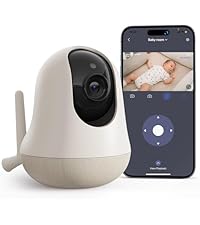
The nooie Baby Monitor is a cutting-edge 2K WiFi IP camera designed for modern parents who demand comprehensive, secure, and smart baby monitoring. Featuring AI-powered 360° motion tracking, super IR night vision up to 32 feet, and real-time motion and sound alerts, it ensures you never miss a moment. With two-way audio, seamless app and voice assistant integration, plus encrypted data storage options, it delivers peace of mind and effortless control — perfect for busy, tech-savvy millennials who want to stay connected to their little ones anytime, anywhere.


| Alert Type | Audio and Motion |
| Antenna Location | Baby Monitoring |
| Asin | B07PJ67CKC |
| Best Sellers Rank | #8,190 in Baby (See Top 100 in Baby) #24 in Smart Baby Monitors |
| Brand | nooie |
| Built In Media | Instruction Manual, Power adapter +Type-C Cable, Wall mount + screws, Nooie 360 Cam [email protected], |
| Color | white |
| Compatible Devices | Smartphone |
| Connectivity Protocol | Wi-Fi |
| Connectivity Technology | Wireless |
| Control Method | App |
| Controller Type | Amazon Alexa |
| Customer Reviews | 4.2 4.2 out of 5 stars (16,604) 4.2 out of 5 stars |
| Effective Video Resolution | 1440 |
| Enclosure Material | Plastic |
| Field Of View | 101 degrees |
| Focus Type | automatically |
| Form Factor | Dome |
| Frame Rate | 15 fps |
| Indoor Outdoor Usage | Indoor |
| Installation Type | Wall mount/Ceiling mount/ Floor-Mounted/ Stand/ Crib/ Shelf |
| Item Dimensions | 4.9 x 3.07 x 3.07 inches |
| Item Type Name | BABY MONITOR |
| Item Weight | 9.12 ounces |
| Light Source | Infrared |
| Manufacturer | nooie |
| Manufacturer Warranty Description | 1 Year Manufacturer |
| Memory Storage Capacity | 500 GB |
| Mfr Part Number | IPC100 |
| Model Name | 360 Cam |
| Model Number | IPC100C |
| Mount Type | Wall Mount Placed on table |
| Night Vision | Night Color |
| Night Vision Range | 32 feet |
| Number Of Channels | 2 |
| Number Of Items | 1 |
| Other Special Features Of The Product | Adjustable |
| Photo Sensor Technology | CMOS |
| Power Source | Corded Electric |
| Room Type | Nursery, Baby Room, Kids Room, Play Room, Living Room, Bedroom, Kitchen |
| Shape | Dome |
| Specific Uses For Product | Baby Monitoring, Baby Monitoring for First-time Parent, Infant Camera for Room, Baby shower Gift, Adult Monitor for Elderly/ Grandparent, Child Monitoring, baby care |
| Unit Count | 1 Count |
| Upc | 751565991837 |
| Video Capture Format | MP4 |
| Video Capture Resolution | 2k |
| Voltage | 5 volts_of_direct_current |
| Waterproof Rating | IP65 |
| Wattage | 5 watts |
| Wireless Technology | Wi-Fi |
User
Great camera at a great price-point and simple to setup!
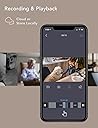
I have the Nooie 1080P indoor camera and I've been quite happy with it so I had to give this 360-degree model a try. It takes the features of the static camera and adds the ability to pan and tilt the camera either manually or you can enable motion tracking easily through the app. I wrote a review for the static camera and many of the features carry over including its great video quality so if you've read that review, some of this will seem familiar.Setup -Setup was very simple using your phone or tablet, running the free Nooie Cam app. You first need to verify that your phone is connected to the 2.4Ghz access point in your home where you will be using the camera. You then simply start the Nooie Cam app and select the +Camera button. You select the Nooie Cam 360 option and it will walk you through the remaining, simple steps. Basically, you assure the camera is on, enter the password for the wireless access point/router your phone is currently connected to (this is the same one you will be connecting the camera to), click Next, and a QR code appears on the screen of your phone. You now hold the screen of your phone in front of the Nooie camera's lens and it provides an audible tone and LED light indicator when it is finished reading the QR code. The app will now inform you that it is pairing and will begin a countdown. When complete, the app will inform you that pairing has completed. It's that simple.Use -Now that the camera has been added, you simply select it to view the camera. To hear audio from the camera, you select the speaker icon within the app and now you are able to see and hear what's going on around the camera. The camera also has a built-in speaker that allows you to press the microphone button within the app and then speak through it. This is very useful and/or just fun depending on where you locate the camera. For example, I have the camera in my living room where my cat typically spends a good part of her day. If you have cats, I'm guessing yours is similar where she doesn't have one place that she always lays within a room. She instead has multiple locations that she'll randomly select. With this 360 degree camera, either from home, from work, a restaurant, wherever I have WiFi or cellular access I can pan the camera from left to right and up or down. It's range is great where you can literally place the camera in the center of the room and, from the app, turn it from it's left side behind it all the way around front, through to the right side behind it just by swiping across the screen with the camera's image live the whole time. You can pan it around to see the entire room. Beyond this, you have the ability to tilt the camera up and down from the app as well by swiping up and down on the camera's image live. I can scan the room for my cat, locate her, and then touch the microphone to talk to her. Being a cat, she chooses whether she wants to respond or not. Sometimes her ears just perk up and she whines (which you can hear through the camera's built-in microphone), but other times she'll choose to walk over to the camera and give it some love. :)If you choose to use the Motion Tracking feature, if your cat, or anything really, moves in front of the camera's lens, the camera will follow it. As the moving option moves close to the edge of the camera's current visibility, the camera will move to center the moving object within it's vew and continue doing this until the moving object either stops moving or moves behind something where the camera can no longer see it. One thing to note with automatic Motion Tracking is the camera can pan 360 degrees. If something moves and the camera ends up pointing in a different direction than the next moving object. The next moving option must move in front of the lens at some point for the camera to see it and start tracking it. Depending on where you mount the camera and your use, this may be fine or it may not. So, definitely think about this before placing the camera if you plan to enable Motion Tracking.Video and audio can be recorded to either a microSD card or to the cloud. Cloud storage is a paid service. Given my usage, microSD recording is fine for me so I haven't tried the cloud storage option. MicroSD recordings are easily accessed through the app via a scrollable tape across the bottom of the screen. You select the day and then scroll through to the time you would like to view. If at any time you are viewing live video or recorded video from the app and you would like to save the video to your device, you simply press the camera icon on screen to set the start point, continue watching the video as it plays, and press the icon again when you'd like to stop and the video will be saved to your device. It's VERY easy!Like other security cameras, you can also setup notifications based on sound and/or motion. This too is easy to configure by selecting None, Low, Medium, or High for each option and then selecting the timeframe that you would like to receive notifications. Note that you can enable disable notifications by day, but each day only has one start time and one end time that can be selected. Meaning, you cannot setup notifications from 8am-5pm and then again 10pm to midnight for the same day. You could do one or the other, but not both. I don't see this as a problem for me, but it's worth noting depending on your use case.There are a few additional notable settings. First is the ability to enable/disable audio recording. I haven't done much testing with this, but I'd imagine this could save some space on your microSD card, allowing you to possibly record more video if disabled. Second is the ability to enable/disable the small LED light on the camera. If you placed the camera in a visible location in your home, you may want to disable the LED to avoid the distraction of it. Last, there is a Rotate Image option. So, if you need to mount the camera under an overhang, cabinet, etc., you can simple tap this button to flip the image for mounting the camera upside down and now viewing it live or recorded video will display right-side up.Customer Service -I reached out to Nooie's customer service prior to purchasing my previous camera as I had a number of questions. I received quick, thorough responses the same day, shortly after I had sent them. I worked with Julia who was great to work with. Very friendly, personable, and understanding. Julia's customer service was great and made the decision to purchase this camera a complete no-brainer. As I'm sure many of you know, when you have questions or something goes wrong you really find out what a company is made of. I'm happy to say Nooie's support is great! Regarding this camera, I had a few questions for Nooie support prior to purchasing it and received the same great, prompt responses. This proved even moreso that their support is great! It wasn't just a one time fluke with the first camera.Summary -This camera works great and has clear video. The two-way communication capability is an added bonus and could open up its use to more than just a security camera. It's ability to automatically track motion as well as it's ability to turn 360 degrees while automatically tracking motion and/or by manually swiping the screen coupled with it's low price point of under $40 makes this a great buy in my book! I am definitely glad that I added this camera to my home. It will work well keeping track of not only the cat, but I can see when my teenager comes and goes when I'm not home.
User
Best Bang for the Buck!!!
I purchased the Nooie Cam 360 as a security camera. I examined tons of different models from a variety of brands. This camera met all of my needs and is definitely the most bang for the buck. I caught a special Amazon "Lightning Deal" and got it for $32.99. With Dynamic Noise Reduction and Color Enhancement, the 1080p video quality is excellent. The night vision is nothing short of stunning. It uses "Gamma Correction", so the infrared images are not washed out or grainy and have plenty of contrast. The night vision literally looks as crisp, clear and clean as daylight, only in B&W. The camera is ridiculously easy to set up. Using a QR code was a brilliant idea. Just make sure you're on a 2.4 Ghz network for the setup and pairing process. This is only for the setup process. Once paired, you can switch your smartphone back to 5 Ghz, if you're using a dual-band router. The Nooie will remain connected to your 2.4 Ghz band. This is the #1 reason people give this camera negative reviews. They don't read the setup instructions and don't realize this. The built-in speaker is loud and clear. The microphone is sensitive enough to hear the faintest room activity through your phone. My router is about 20 ft. away from the camera, but it's on a different floor of my house. The connection is rock solid and stable. It's never lost connection. The camera will send alerts to your phone if it detects motion and/or sound. You can turn these features on/off, and even set a schedule for when to detect either. This way, the camera's not sending you alerts when you're home and within camera view. The motion tracking pan & tilt is whisper quiet, so as not to attract attention if recording a home intrusion. That, combined with the ability to deactivate the "Status Light" makes this unit stealthy. The app is well executed, includes all of the necessary features and yet is simplistic in design. The camera's design is inconspicuous and elegant. People have commented that it looks somewhat like an air freshener. I can see the resemblance. The entire base of the camera has a rubber ring, running the full circumference, so it stays put and won't mar your furniture. I honestly can't find one thing to complain about with this camera, and believe me, I've tried. So, if you're looking for an inexpensive, quality camera to monitor your baby, pet or house, look no further. Buy the Nooie Cam 360. You won't regret it!Setup Tips:If your first attempt to pair the camera with the app is unsuccessful, reset the camera first before trying again. There's a tiny pin hole on the body. Just insert a straightened paperclip into the hole and press for about two seconds.I keep reading reviews complaining that this camera won't work on a 5GHz network. These people are obviously not very tech savvy. Otherwise, they would know the reason for this. The difference between 2.4 GHz and 5GHz is range and bandwidth. 5GHz provides a faster data transfer rate, but at a shorter distance. 2.4GHz offers a greater range, but at a slower speed. When talking about WiFi cameras, range is the primary concern, not speed. The wireless signal must penetrate through walls and/or floors. The data transfer speed (for this purpose) is irrelevant. You will not see any visible different between the two frequencies. As long as the video image is smooth and not choppy, the added speed of a 5GHz network offers no benefit. To the contrary, the decrease in range is a detriment. This is the reason every WiFi camera I've seen on Amazon, also only works on a 2.4GHz network.Some people have stated that this camera will not connect to a dual-band router. This is NOT true. Most modern routers are dual-band. You have to know how to "force" your cellphone to connect (and stay connected) to only the 2.4GHz band during the pairing process. If your WiFi password for your 5GHz network is "stored" in your phone, you must select "Forget Network". This doesn't actually forget the network. It merely deletes the WiFi password for the 5GHz band. This forces the phone to only connect to the 2.4GHz band. Once camera pairing is complete, you can reverse that process if you'd like your phone to stay on the 5GHz band.Usage Tips:When manually panning the camera via the app, you can't touch the phone's screen and drag your finger "in one motion". It takes a second for the app to detect your finger. You have to touch the screen and give it a second to recognize your finger. Then, slowly drag your finger in the desired direction. Remember, this touch control command is being sent over a wireless network. It's not the same as a "local" touch command on a phone app, thus the added time needed.Nooie Cam App:I noticed a problem with the app disconnecting from the camera after being closed for several minutes. There were a few other minor bugs. I contacted Nooie Support and received a reply within hours. I was advised that they were aware of the issues and were working on fixes. There have been three updates to the app, including two beta releases, all within the last two weeks. I tested the different versions and reported back to Nooie Support. They addressed everything in a timely matter. Due to their quick reply and fixes, I didn't let this affect my rating of the camera. For anyone who isn't familiar with how beta versions work, here's the deal. Beta versions are still in the testing mode. The developers will collect input from actual users, implement fixes and test the final result. Only then, will it be released to the general public. This is a normal process with all software development. They'll likely make other tweaks and enhancements in future versions, so check Google Play and the App Store regularly.Latest Version: 1.7.7, Released 9/28/19
User
Love this monitor
Update: I have had nooie cameras for years now and are they perfect No. But the one thing I absolutely love about this company is that they Listen to the reviews and customers. Always making improvements and updates to fix bugs and make their products better. I feel over time it has gotten better. Is it perfect no but having them from the start and watching the company/products grow and improvements. I still think the cameras is great. The fact that they Listen and try to fix the things their customers are unhappy with. They are only getting better and better. Still love nooie.We have had our monitors for a year now. I love being able to check in when I am not home. The picture quality is awesome, night vision is great! The motion detection is ok but not amazing. Sometimes it over rotates when tracking things. We currently have 6 Camera's. The set up is super easy. (Samsung phone) Also note if you do not have good wifi, then make sure to get a booters. Keep in mind, if you have a poor wifi connection it doesn't connect well. It is not device messing up, it's the wifi connection. We have wifi booter and all 6 camera's work great. When setting up make sure to switch over to the 2g wifi when connecting. Then you can turn your phone back over to your 5g connection after set up. The one thing, I hope they can improve is being able to view multiple monitors at the same time. I wish, I could watch at least 2 at the same time. Then tap the screen to veiw one if I needed to see something closer. That would make this set up perfect. But other then minor things. I highly recommend this monitors. I will say it's really easy to switch in between cameras.Update! They came out with a New app and yes there are few things they are working out but now we have live veiw on multiple cameras now. Which is a game changer for me. They have great customer service and Enola helped me and was fast on response and help solve my issues. I love that Nooie is constantly improving. I would 5 star it but it's not quite perfect yet because but it's getting close! I love my cameras!
User
I love this camera
I could say so much about this thing! First of all, this is actually a really good monitoring camera for the price. I have it in my living room for a variety of reasons. Baby watching while cleaning since I have 3 floors, keep and eye on a 4 year old who likes to sneak into stuff, animals, and just security when gone.So before I get into the good, I have one bad. The app isn’t total trash but I wish moving the camera direction was a little bit easier. Other than that, I have no issues with the app either. I was able to share the camera device with my partner on his own account so we can both watch. But the method of turning your camera in any direction is annoying. You have to swipe up, down, left, or right on the video feed and it can be a bit of a hassle sometimes.Other than that one thing, I’ve had no issues with setup or anything! Pretty easy process. Simple app format (other than motion change). Night vision is actually pretty good and clear even when zooming in a bit. The clarity when it’s not using night vision is also surprisingly good for the price of this camera. I honestly wasn’t expecting that.So with it being a 360 motion camera, it has two extra options in the app. You can have motion sensor on and sound detection. The motion detection is pretty cool and I turn it on when I’m not home so keep an eye on my animals. It will alert you if it senses motion with a notification on your phone and also when you open the app to view the camera, it will follow the motion in the room. It’s not perfectly but it keeps up with my 4 year old so I’ll give it credit. The sound detection is actually pretty cool too. Again, it’s not perfect because it’s not an expensive camera but if you don’t have a tv on or loud background noise, it picks up baby crying and small noises like when my dogs were bumping into stuff and playing. Again, it will send alerts to your phone if in that mode. I have to turn sound detection off when I have the tv on though because I’ll get notifications like crazy.I guess that could be a con but it doesn’t bother me because I can turn it off and I would rather get all those notifications if I’m not home and be able to know when something is going on than not. But yeah, great camera for the price!
User
Absolutely Amazing!!
My mother recently had surgery and is unable to climb stairs to get to the bedrooms yet so she is sleeping in the living room. I purchased this camera so I could keep an eye on her if she needed help during the night as well as when I work from home (upstairs) during the day.Got it on sale for only $40.00 and even though the reviews were good I really wasn't expecting super quality from a $40 camera.Wow was I ever pleasantly surprised!PROS:1st - Super easy to set up and get on my wireless network.2nd - amazing picture quality both day and night view. You see some business security camera footage on news stories and the person in the video could be anybody, but this tiny little camera is crystal clear.3rd - Motion tracking is great and sensitivity is adjustable. You can have it send an alert to your phone when it detects either motion or unusual sounds.CONS:1st - While it has 2 way audio, the sound that comes From the camera (when you are talking from the app to the camera) isn't very loud at all.2nd - Motion tracking, while it works well, doesn't follow the subject smoothly. It waits until the subject is almost out of frame then turns to put them back in frame. Not a big deal, just something I noticed.Overall this camera is absolutely fantastic! Since it connects to your home wifi you can view it from anywhere you have internet connection.Once my mom is healed up we'll likely use it to watch the antics of our cats while we are away LOLI definitely recommend this camera and I would assume the other products made by Nooie are equally awesome.In the day pic I blocked our faces for privacy using my edit app, the black flowers are not from the camera. Had I not blocked them you can see facial features clear as a bell.
User
Perfect for baby monitor
LOVE! LOVE! LOVE! I bought 2 and I’m going to order more.So I have 3 kids the boys share a room they are 4/6 and baby has her own room.I was only using a super simple baby monitor.Like the old school one for the baby I only needed it at night to hear her if she woke up. I decided to buy a camera monitor bc I got tired of sneaking in at night. Hoping not to wake her....I always check on my babies before bed. So now I just open the app and watch her sleep! The day/night vision is so clear.The camera moves around the room with ease.Microphone works great!I use the feature at night to help my boys go to sleep. I don’t have to go in there over and over anymore.Okay, so I feel like I almost didn’t buy this bc there a lot of negative reviews. But most were wanting to use this for security. That’s not what this is for...it’s a perfect baby monitor.I am the least tech savvy person. These were an absolute breeze to set up! Download the app plug them in and BAM!I did read the reviews and so I saw where someone said to make sure your WiFi is not 5g or dual lol or something like that? Still have no idea what it means ....so anyway I called ATT to make sure my router was compatible. They even looked up the product for me to be sure.The only negative is my husband can’t log on at the same time. But I still love everything else that is not worth taking a star away for. It’s a $40 camera.You pay for what you get....in this case though it’s really a bang for your buck.I do want to say one more thing. I use this in addition to my baby monitor (the cheap one) bc if she cries at night or is awake I know immediately. Like I said remember the price of the product you are buying.I also use it during the day when she naps and I’m outside with my boys to check on her. It always shows live I have never had a problem with it not...We were just out of town and I got on the app just to see our house and so now I’m going to buy several more for our house.They also make great nanny camsI have an iPhone so I can save videos directly to my phone.*********If you are mom and you basically want to watch your kids sleep at night or during naps. Or even want more accountability for sitters these cameras are PERFECT***************
User
So far worth the money!
Update: Reduced rating from 5 stars to 3. We purchased this just about a year ago now, almost on the dot, and the movement of the camera up/down has stopped working fully. It will not rotate down past a certain point anymore without having to physically move it. Very disappointed that it didn’t even make it to a year without an issue. Has been great otherwise! We’ll likely continue to use it while we can, and hope we can get some more life out of it before having to replace it.Original review: This camera works great so far, and we've had no issues! I read some reviews that said setup was difficult, and we did have to try twice to get it to read the QR code for our password correctly, but it seemed to be a matter of just holding it steady at the right distance of 8-10" (I held it too close the first time, I think), and making sure you click on the "full screen" so it puts the QR code against a plain white background. Otherwise, the picture has been great, the night vision is way better than cheaper camera's we've had in the past, and I love the fact that you can adjust the camera position & view by moving it with your finger right on the screen of the app. We don't use the motion or noise detection on it, so I can't comment on that, but talking through it via the app worked just fine and in general if we turn on the noise to hear what's going on in the room it comes through clear. If we come across any issues, I'll update the review!
User
Great for security or peace of mind on a low budget
I stumbled upon Nooie in my research of cameras that weren't from the usual tech giants. I wanted something that was farily priced but still had the same features (if not more) as the products from the other manufacturers. This led me to one of their baby monitor cameras also known as the 360 cam. I initially purchased one to monitor my dad who was bed ridden so I could still keep an eye on him if I had to step out or leave the room for whatever. It helped tremendously and gave us such a peace of mind. In fact, I liked the 360 cam so much that I ended up buying another one so I could monitor my 3D printer. I use another ecosystem for my security concerns but I bought their outdoor Pro Cameras (I will put a review for that on a later date) to bolster my security camera setup so I am all in on the Nooie ecosystem.Pros:- Very easy setup. Took less than around 3 minutes to get it up and running- Impressive range of motion, which is something even the biggest competitors don't have. Most of them don't even move so they pale in comparison to the amount of control with the Nooie 360 cam.- The night vision is extremely quick to turn on (and off) and still maintains it's quality. The overall quality during night vision about average but that's still very good considering many camera can't get the nightvision to come out half decent.- The price: it's very had to beat and the features make the camera "budget" only in price.- The quality, fit, and finish is AMAZING. It is definitely on par with, if not better than products from those pricier companies- The capability to mount it upside down on the ceiling makes it look very professional once installed and the ability for the camera not to move it's up and down makes it so you can mount it really anywhere from a countertop to a wall (like I did with my 3D camera) to the ceiling.- The motion tracking is AMAZINGCons:- The app could use some improvement but the bigger they get and the more support they get from consumers like me will help them take their app to the next level- Speaking of the app, the app can sometimes take a second to sync up with the cameras but this is rarely the case. It doesn't happen often but it will happen every now and then.- The picture quality is great and more than sufficient for closer things but I noticed that the the resolution of things that are further than about 25 feet away isn't that great. However, that's why you can always upgrade to the 360 Cam 2. The original 360 cam wasn't really meant for things that are really far away.- This is really nitpicking but I wish there were other mounting options provided from nooie like a suction cup or something to mount it on countertops or bookshelfs and things if that nature.
User
Funciona perfecto para cuidar los niños
Puedes bajar a ver la TV y las alertas te dirán si se mueven o hacen ruido los niños, y les puedes hablar por ahí. Lo recomiendo mucho
User
Great little camera
We love our Nooie camera, we bought this after much deliberation and couldn't be happier.The main reason we bought it is so grandparents could keep up with our daughters daily activities, the picture quality at daytime and night mode are fantastic, the motion following is just about fast enough to keep up with a toddler, the sound quality in and out are reasonable, but not amazing, we didn't expect it to be fantastic given its size.The app only allows the camera to be shared with 3 users plus the owner which is okay for us, but may not be enough if you want to use this camera for sharing with multiple users.Unfortunately despite having an SD card in that meets their requirements it never appears to record anything to playback later! im still trying so hopefully changing some settings might work, but it isn't quite as simple as plug in and record (at least not for me)Overall a fantastic product and just what we wanted. We might get a second to add to different rooms.
User
يوجد افضل منها
المشاكل اللي واجهتها : التعليق حيث انها دائما توقف الشاشة مع ان الاتصال بالانترنت عندي جداً عالي وان كان لا يوجد تعليق تاخير من ثانيتن الى 5 ثواني الدقه ليست عاليه والرؤية الليلية ليس عاليه ولا يوجد خيار تشغيل الرؤية الليلية دوماً حيث اوقات تطفا وتشتغل الرؤية الليلة لو فيه اناره خافته مقارنة بمنتجات اخرى نفس السعر ، لاحظة انها ترافع حرارة العدسه بطريقه غريبه جربت وحده ثانيه من شركة imou كانت اكثر عملية منها استخدامي لها كان مراقبة ابني في المهد
User
Best, but not for everyone.
Reviewing this after using for about 45 days. Possibly one of the best baby monitors out there. It is worth spending that extra few thousand rupees. Why? Because of the following:1. Can connect directly to multiple mobile phones. You and your spouse can see it from office or from the next room.2. You can talk to the nanny directly from the cam.3. You can hear clearly if your baby cries. Infact the sound is extremely sensitive. Even careful door open or closing which won't disturb the baby, is still picked up on the app.4. It has motion tracking. Even your curtain movement will be notified. Can get irritating but you can turn motion tracking off and then adjust the camera angle from the app as you like.5. Has excellent night vision.6. Notifies you if there is movement, sound or baby cry. Notifications can get irritating for some.7. You can get cloud storage and also store on a local memory card. Or even record video via their mobile app.8. Have noted extremely little lag at times. Possibly around 1-2 seconds.9. It has a wide coverage angle. So even if you don't install it at the top corner of the room and just keep it in front of the bed or some other corner, it will still give an extremely good coverage. And its motion tracking can also cover almost entire room.10. It is plug and play. If you don't want to involve an electrician and your socket is close to a good vantage point which can cover the entire room, you can directly plug and charge it like a mobile. Also makes it portable. We have used it to monitor her play area and bedroom and even used it when we went out for vacation.Cons:1. It needs constant power. Therefore, your nanny or baby can turn it off if she knows the switch. Therefore it isn't for all.2. You need to keep your app constantly open for all the above. So be ready with a battery backup for your mobile. Hence, it may not be for you if you have only one mobile. You might prefer a camera with a dedicated screen for this primary reason.
User
Great little camera
Camera works well, with good notifications, and tracking of motion etc. Notification of Sound Detection was the key selling point for me, and this works well. I can be notified anytime my dog is barking, and I can jump to the video to see exactly what is going on.
Trustpilot
2 days ago
1 month ago