Desertcart purchases this item on your behalf and handles shipping, customs, and support to Senegal.
🚀 Elevate your home network to pro-level speed and control!
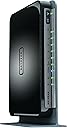
The NETGEAR WNDR4300 N750 Dual Band Gigabit Router delivers up to 750 Mbps combined WiFi speed with simultaneous dual-band technology, ideal for medium to large homes. Featuring 4 Gigabit Ethernet ports, USB sharing capabilities, IPv6 compatibility, and intuitive app control, it ensures a fast, reliable, and future-ready network experience.


| ASIN | B008HO9DK4 |
| Antenna Location | Gaming |
| Antenna Type | Internal |
| Best Sellers Rank | #34,524 in Computers & Accessories ( See Top 100 in Computers & Accessories ) #864 in Computer Routers |
| Brand | NETGEAR |
| Built-In Media | Ethernet Cable, N750 Wifi Dual Band Gigabit Router, Power Adapter, Premium Feature Booklet, Quick Start Guide |
| Color | Black |
| Compatible Devices | Printer |
| Connectivity Protocol | ethernet, wi-fi |
| Connectivity Technology | wireless |
| Control Method | App |
| Controller Type | vera |
| Coverage | Large Homes |
| Customer Reviews | 4.2 out of 5 stars 3,576 Reviews |
| Data Transfer Rate | 750 megabytes_per_second |
| Frequency | 5 GHz |
| Frequency Band Class | Dual-Band |
| Global Trade Identification Number | 00606449084528, 30606449084529 |
| Item Part Number | WNDR4300-100PES, WNDR4300100PES |
| Item Weight | 448 g |
| LAN Port Bandwidth | 10/100/1000 (Gigabit) |
| Manufacturer | Netgear Inc |
| Maximum Upstream Data Transfer Rate | 750 megabits_per_second |
| Mfr Part Number | WNDR4300-100NAS |
| Model Name | WNDR4300 |
| Model Number | WNDR4300-100NAS |
| Number of Items | 1 |
| Number of Ports | 5 |
| Operating System | Windows 7, Mac OS |
| Other Special Features of the Product | WPS |
| Security Protocol | WPA/WPA2—PSK,WEP |
| Special Feature | WPS |
| UPC | 606449084528 |
| Unit Count | 1 Count |
| Warranty Description | 1 Year Limited warranty |
| Wi-Fi Generation | Wi-Fi 4 |
| Wireless Communication Standard | 5.8 GHz Radio Frequency , 802.11a/b/g/n |
| Wireless Compability | 5.8 GHz Radio Frequency, 802.11a/b/g/n |
J**H
2.5 & 5 GHZ ROUTER BY NETGEAR
The router fixed my WIFI problems getting movies from Amazon to my TV. The amazon movie people said the problem was a software problem with my new Flat screen. The router start up procedure went well and router worked fine 3 weeks. the 2.4Ghz output died and so did my WIFI Canon printer. I tried the Netgear chat line and they got the 2.4Ghz working by swapping out transmitters (according to the chat line) but were not able to get my Canon printer to work. I contacted Canon and they sent me to a service that failed to get the printer to work. I then was told that they had a premium service that could help me. I went to them and they found the operating system printer software (not the drivers) had been corrupted by the Netgear chat line instructions that I had followed. After fixing that all worked for a while but then the system started to stop for no reason. I would have to reboot. This seemed to be caused by my Galaxy S4 with WIFI turned on. The S4 would go dark and the computer would stop. Also my RF mouse was acting funny. The final fix was to lower my computer CPU speed a tiny bit and all was well. I believe that the robust output of the Netgear router was swamping the USB receivers on the system and that the system was running at top speed. The Router has changed the download time for a movie 8 to 10 minutes and maybe not at all to a fast 30 second download with no problems. It is very easy to control guest wifi with the Genie program. The one push security button worked with my TV so I did not have to push the remote keys you know 1=a 1=b 1=c which is a pain. The 5Ghz output remained stable at the other end of my house at all time that I checked ( with the S4 you can get a RF sensing ap that show a graphic picture of the RF signal from the router). My over all opinion is the Hardware and software are the best I have seen so far but the Tech support is all about messages and chat lines, No people to talk to. That makes for an awkward conversation like "how do you know the signal is not at the TV your TV may be broken" When you try to explain that you have an RF signal meter in your cell phone. The router also allows me to print from my cell phone. The 3 cable hook up makes it easy to connect. All in all if the 2.4 continues to work I will be very happy with the Netgear router.
J**O
Awesome
This is a great router. It replaced an older Netgear router that was in the process of dying, and the change was amazing. If you're on the fence, go ahead and get it. This router is EASY to set up. I ran through the guide quickly enough, changed the SSIS and access paskeys, and was off and running. the signal is strong and reliable, and covers the house quite well, and the signal extends outside onto the deck and yard nicely enough. The router comes with a family protection feature that allows you to set up an account that will check and filter every request going through the router, both on WiFi and through the ethernet. Nothing is fool proof, but it provides a great layer of protection for our family. We have a "Micro-Cell" signal booster from AT&T. We connected it to a port on the router's ethernet, and it receives a strong, reliable connection to the internet. I've connected an external hard drive to a USB port, which makes the drive available on our network, which is handy when we're at home. Its great having a shared drive for pictures, songs, documents and other files we like to share. I haven't used the "cloud" feature, but I'm planning on getting a bigger drive and hooking that up as well. I doubt it will be too difficult, but I can't speak to that yet. In addition to the MicroCell, I typically have 2 computers wired on the Ethernet, 1-3 laptops (including work laptops connecting through VPN - without difficuty), 2 kindle fire's, a windows tablet, a windows phone and an android tablet and phone. Everything can be connected at once, and it works just fine. We've had study groups over, and they connect their phones, tablets, and computers to the Wi-Fi as well. I'm not sure how many concurrent connections it handles, but we haven't capped out yet, so it seems it is more than 10 or 12. I have a 'normal' sized 3-bedroom split-entry house, and this router adequately covers the house, although I did get a signal booster to increase the speed in the back bedroom. The bedroom, however, is on a different floor, and the signal travels through not only the floor, but the stairs and a couple of walls. It makes it, but with the signal booster at the top of the steps, there's improved bandwidth in that back corner. I'm sure if I centered the router better in the house, I wouldn't need it, but the way its laid out, putting it in the middle would be awkward, so its off to one side. I'm VERY glad I picked up this router, and I heartily recommend it.
J**1
Could be a little better, but does the job for what it is
It's a decent router for the fact that it has Gigabit ethernet for connection to my high speed connection with Cox and that it allows VPN passthrough and no latency wired connections. Wifi seems to pretty good using it with multiple wireless devices such as ipad, ipod touch, Roku 3, Apple TV, even when operating all at the same time, but I feel that the range is a little bit overhyped. I am in a 2400 sq foot 2 story house, the router is upstairs and the bars drop significantly the moment I step out on my back patio with any streaming device. This can create headaches if I'm listening to Spotify or Sirius through my app and the signal drops intermittenly. You just have to learn your boundaries with it. I may pick up a repeater. I imagine in a single story home or apartment however, this router would more than adequate re: range. The 2.4 ghz spectrum is stronger than the 5 ghz. 5 ghz range is horrible and so I only use it for one device that is less than 50 feet away from the router. Sort of pointless in regards that they tout the 5 ghz for HD streaming and the like. What good is it to use when it doesn't travel as far as you need it to reach the Roku 3 downstairs for streaming Netflix and Hulu HD videos/movies? 5 ghz will have 1 bar of signal whereas the 2.4 N signal has 4-5 throughout much of my home. This might be corrected with a firmware update, but I am reluctant to update the firmware for it as I have read many people describe bricking the router with the latest update. In closing I will state this is my second Netgear router and I gave it a try because I had no issues with my last router, which was just a basic wireless N that was still kicking strong after 4 years. I just wanted something with more speed without breaking the bank and this router serves it's purpose in that regard. If you are looking for better range however you may want to consider the higher up Netgear routers or one of the Asus routers. Either way each brand of router has it's issues and wi-fi saturation from neighbors also can play a factor in this, which is why you may want a repeater anyway.
O**E
DFS WiFi-N.... more than fast enough for most home applications... with extra 5G channels and Time Machine support...
I originally bought this in September 2014 to support Tivo streaming and Time Machine backups... eventually I used it to support WiFi coverage in a localised dead spot in my house. In all cases, it has performed like a champ just like every NetGear router I have owned since the first N model I purchased (WNDR3300 v1). Since my local area has so many WiFi signals including 5G, I have recently started using its DFS feature to move its 5G signal into a region that most cheaper routers cannot utilise. While this works well mostly, I do have some older laptops which do not see this WiFi network when using any DFS frequency... even when I use Linux. Since the devices that I require to use it all can see it, this is not much of an issue... more something to be aware of. While this may not be a new tech router, its signal strength and its reliability as well as its support are still great... I have never had to reboot it due to any issues with the hardware nor internet connection. If you need to use DFS frequencies at less than 802.11ac or you need an extra Time Machine device, this router is a steal... the newest TiVo Bolts, however, no longer support the appropriate streaming protocols for utilising these types of devices. I still love this device and it is a reliable piece of hardware... but then again, I still use my WNDR3300 for an access point instead of buying something newer. :) NOTE: Netgear has still been providing firmware upgrades for this device recently to correct security issues... most recently at the first quarter of this year.
J**S
Do not buy it!
Disclosure: I have my CCNA and work on an IPv6 backbone; I feel confident with my routing knowledge. I have never felt so slighted by a purchase. I could write a book titled "One million and one reasons not to use this router," but I'll try and keep the ranting to a minimum and be concise. I know Netgear reps say to contact them, but they can never rectify this unless they can give back my time and dignity. I used to like Netgear. This router was supposed to replace a $15 router that worked great, but didn't have IPv6 capability. I have my main router/modem that has never had any problems and then always put a second router in the DMZ to act as my private network. -- Day 0 -- When first connecting the router in it's factory default condition it runs a setup wizard. It takes roughly 5-7 minutes and there is no way around it. This becomes a time consuming hassle even after the first "reset to factory default" let alone many. When I first connected it the Genie said it recommended putting the router in Access Point mode so I did. My entire network immediately went down. I had to reset and reconfigure everything. I know not to do that now. Once my original network was up and running again I tried again. This time I ignored the recommendation and set it as a router. Then I put it in the DMZ and configured everything exactly like the router it was replacing with one addition -- IPv6 in pass through mode. It worked brilliantly. I was getting extra speed through IPv6. Latency was non-existent. Pages loaded so quick I couldn't even tell they changed. My phone was on the other side of the house getting full bandwidth on the 5GHz network and the Gigabit ports meant my LAN was bottlenecked at the CPU and not the NIC for the first time ever. All tests showed that this was a good decision to splurge on the most expensive router I've ever purchased. -- Day 1 -- I came home from work urgently needing to close out some day trade positions. Pages are loading, but at a crawl. My private network was at a standstill (good thing I had another network I could use). I reboot the router. Reboots take about 3-5 minutes; it's no big deal. Except, rebooting doesn't solve the issue. "Maybe it's not the router," I think. So I reboot everything: router, computers, and phones. Still it's crawling. "Maybe the cable is bad." So I switch out my cable with the new one that came in the box. Still it's crawling. "Maybe it's IPv6." So I disable IPv6. Still, it's crawling. "Maybe if I updated the firmware? It does say there is an update and it is recommended." I update the firmware. 20 minutes later, it's still crawling. Each tiny change I make has to be applied. Then the "please wait" screen shows. Every little change takes 5 minutes. My $15 router could apply changes faster. And even after applying they don't look like they are actually applied. I turned off the 5GHz network and applied it and according the device list my phone is still connected to the 5GHz network. I change the name of the 5GHz network and forget all the networks in my phone (that one was painful). It isn't the phone. My phone says it's connected to one network. The router is reporting the phone is connected to the 5GHz network of the changed name that my phone doesn't even know exists. Only rebooting the router seemed to apply the settings. So now each change I make means applying the change... 3 - 5 minutes. Then rebooting the router... another 5-7 minutes. "Maybe I could upload the settings backup I made while it was working beautifully," I think. 5 minutes later the settings from when it was working have been uploaded to the router and still it is crawling. I don't get it. Hardwired devices should be straightforward. It's able to resolve addresses, but my network monitor says that my bandwidth is 2Kbps. I could do better with my old 56k. "Well maybe all this changing of settings really screwed something up. I'll do a factory reset." The router is reset to factory defaults. It takes 3-5 minutes. But remember when you first connect it after a factory reset it has to do an initial configuration thing that can't be skipped. That takes another 5-7 minutes. I load up the settings backup file and wait for it to apply the settings. Everything came back up. My speeds are back to full bandwidth. WiFi is working great. I come here to write a review. Uh-oh, Amazon only loads half way. The settings only worked for 15 minutes before going back to a crawl. At that point, I would gladly have taken one of the other routers commenters were saying they needed to reboot every day. At least the reboot got them another day. A factory reset and reconfiguration can't even get my 15 minutes. So I decided to go simple. I set up the most basic network I can come up with. WiFi -- Off. IPv6 -- Off. Devices connected -- One. Let's not even worry about DNS -- IP addresses only. Advanced Tab -- Don't touch it... Basic Tab settings only. ReadyShare -- Off. Parental Controls -- Off. The router says the internet status is "GOOD". Yet I'm still only getting 2Kbps. At the bottom is a typical ping output using this router. As you can see there is 70.6% packet loss. I plug in the TP-Link router I was replacing for a test. Immediately everything is back to full bandwidth. No issues, except it doesn't support IPv6. So there it is. Out $80+tax for an absolute POS router that lasted less than 24 hours and back on my $15, 3 year old TP-Link that I should have never tried to replace to begin with. I learned my lesson so you don't have to. The Netgear engineers should be ashamed with how bad of a product they made. Netgear should feel even worse putting it on the market. -- PROS -- It comes with a CAT5e ethernet cable. -- CONS -- It takes its sweet time doing everything. Hopefully you never need to make a change, do a reboot, or reset to factory defaults because it's going to be a while. It lasts about as long as Jim Levenstein in American Pie. It is more expensive than most other home routers on the market. Right when you need internet the most is when it is going to have no connectivity. It's GUI is slow and not user friendly... and I used to like Netgear's GUI. Although it supports IPv6, the options are severely limited, but who needs options on something that doesn't work. Takes up more space in the trash than it is worth. If anything changes I will be sure to update this review. Here is the ping example I referenced: ping 74.125.239.46 PING 74.125.239.46: 56 data bytes 64 bytes from 74.125.239.46: icmp_seq=0 ttl=54 time=25.135 ms 64 bytes from 74.125.239.46: icmp_seq=1 ttl=54 time=23.394 ms Request timeout for icmp_seq 2 Request timeout for icmp_seq 3 Request timeout for icmp_seq 4 Request timeout for icmp_seq 5 Request timeout for icmp_seq 6 64 bytes from 74.125.239.46: icmp_seq=7 ttl=54 time=752.532 ms 64 bytes from 74.125.239.46: icmp_seq=8 ttl=54 time=23.825 ms Request timeout for icmp_seq 9 Request timeout for icmp_seq 10 64 bytes from 74.125.239.46: icmp_seq=11 ttl=54 time=23.707 ms Request timeout for icmp_seq 12 Request timeout for icmp_seq 13 Request timeout for icmp_seq 14 Request timeout for icmp_seq 15 --- 74.125.239.46 ping statistics --- 17 packets transmitted, 5 packets received, 70.6% packet loss round-trip min/avg/max/stddev = 23.394/169.719/752.532/291.407 ms
C**S
Instant Improvement --- Great Router!
I bought this wireless router for our family as a much needed improvement to our old wired D-Link EBR-2310 router. We were experiencing drop-offs while browsing the Internet both at high-traffic and low-traffic times. After doing some research, we realized it was the router that was causing all of the issues. Our current network structure consists of a majority of Powerline networking throughout our household, with one cable modem receiving the Internet connection. In order to upgrade, we wanted to stay away from wireless routers, but wired routers are, for the most part, extinct now. When choosing a replacement, I came across this router. The feature that caught our attention the most was the Wi-Fi On/Off Button. Since we did not want to use wireless transmission in the house, this was a perfect wired solution. The installation of the router was quick and easy, and I did not experience one problem in setting everything up. We have one computer that is physically connected to the router (with the rest on the Powerline network), and the changes were instantly noticeable. Before, we would have to wait for pages to load, refreshing multiple times. Now browsing was much more fluent and a lot faster. The router also has an advanced QoS system, which was evident in streaming videos. We could stream 1080px videos on YouTube without having to wait for buffering every 5 seconds. In terms of the Powerline network, improvements were also noticed. While the download/upload speeds did not necessarily change, there was no hesitation in browsing. Netgear has an application called Netgear Genie, which allows for network management in a simple interface. The dashboard is clean and crisp and makes adjusting settings simple. You can even monitor traffic, set parental controls, and see a network map to identify if any unknown devices are using your network. While my family and I have only been using the router for a couple of days now, we are extremely pleased with the performance of this router. Note: The Internet download speeds that we receive from our provider are around 15 Mbps.
A**N
EXACTLY WHAT I WANTED!!!
To start out, I have AT&T U-verse Internet which is only 801.11G network capability and wasn't reaching the Roku I have in my bedroom in the back of the house. I did a lot of research about how to expand and knew that I needed 801.11N Network and one that had great speeds for streaming and didn't flutter if it had a lot of items connected via wireless. The N750 was the second router that I ordered (but my first choice. I ordered the first one without actually completing my research) and was better from the get go. I was able to bridge this router with the AT&T provided one. That process itself is a little more intricate but setting up the N750 was easy and simple right from opening the box. Did what I wanted: Operates smoothly even with 2 computers, 2 phones, a roku (and anything else that walks through the door) connected wirelessly. My house is 1200sqft, the router is in my living room on the rigtht side of the house and reaches seamlessly to my bedroom in the back left corner of my home. Operates at both 2.4 and 5 Ghz. My computers even give the option to choose which speed I want to connect to (Netgear78 or Netgrear 78-N). Over all, I love the product especially considering it does exactly what I bought it to do..which happens to be exactly what the product said it would do. If you need help bridging your AT&T to an additional router I would check out AT&T Forums and search for: U-verse for BUSINESS? : 2Wire 3600HGV bridge mode? or another AT&T supported VDSL modem? (or type it into google) This is where I got my directions and depending on what you are trying to accomplish, you need Message 2 and/or Message 13. Both are posted by SomeJoe7777. He is very helpful and answers additional posts within about 48 hours.
H**!
Great router
NETGEAR N750 Dual Band Wi-Fi Gigabit Router (WNDR4300) I received the Netgear N750 on 2/28/2016 (Sunday delivery!) and had it set up within 25 minutes. Setup is very simple when using with AT&T's U-Verse 5268AC Gateway. The 5286AC is great for wired connections but the Motorola VAP2500 U-Verse wireless adapter used for Wi-Fi did not have the range for a good signal throughout the entire house. In comes the Netgear N750. So far coverage has been tremendously improved and the speed is absolutely amazing. Connectivity back to the Gateway and to the internet, response times are awesome. I can't believe that I waited as long as I did to upgrade. Shame on me but let this help you decide to take the plunge! My setup approach: Removed my existing wireless adapter (Motorola VAP2500) Plugged the N750 into power Used the existing Ethernet cable from the U-Verse gateway that was plugged into the Motorola VAP2500 and plugged it into the N750 Used the Ethernet cable that came with the N750 to plug my laptop into the N750 From this point go to www.routerlogin.net and follow the on screen instructions, download the Netgear Genie for easy router management After the N750 was up and running I went into my U-Verse gateway and disabled wireless Don't forget to give your new wireless networks cool names. :-) At this point the test will be longevity of this unit. I do not necessarily have any expectations but do hope that it lasts at least a couple of years. As you can see I do not have have it crammed between devices and the airflow is good around the N750.
I**Y
Diseño elegante y administracion eficiente
Es muy sencillo de configurar, las bandas duales funcionan muy bien, el rango de mi wifi mejoro notablemente. Lo malo es que no lei bien y pensé que manejaba el Qos independiente para cada dispositivo limitando el ancho de banda. En general muy buen equipo.
S**O
Muy buen router
Lo llevo utilizando algo más de un año y nunca ha dado ningún problema, es rápido, estable, ligero, y de bajo consumo. Lo tengo conectado en el salón de casa a un extensor de conexión por cable a través de la corriente (TP LINK ASIN: B00ADW9R22) desde el router principal Telecable que está en otra habitación. Con la peana vertical, detrás de la TV no ocupa casi espacio. Proporciona dos nuevos puntos Wi-Fi (2,4 Ghz y 5 Ghz) para conectar smartphones, tablets, portátil... y 4 puertos Gigabit 10/100/1000 donde tengo conectados el deco de Telecable, la Xbox One y una Samsung Smart TV. Todo lo que necesitaba en mi pequeña red doméstica. Fantástico.
V**E
Fantastic Router!
My previous router Netgear JNR1010 had served me well for 3 years. It is a very basic and cheap router. It worked very well. As the wireless connections increased to more than 3 devices, internet disconnection became the norm! For months, I would reset the router every 15 - 20 minutes to restore the internet without knowing what the real issue was. I thought it was an ISP problem. Finally I figured out that this basic router couldn't handle those multiple connections. So I've decided to buy one that could handle all those connections. I zeroed in to this router after reading some tech reviews that gave positive feedback on this router. Setting up the router is very simple. Once you connect any device (wireless), the device will open the Netgear page or you can manually type routerlogin.net in the browser to access that page. Then you have to simply choose the setup options it displays. The default password will be at the router's bottom. You can change that password within the options. Once everything is done, the WIFI is set. This entire process takes only a few minutes. This router is really good! I live in a first floor flat that is about 1250 Square Feet. This router's range is more than enough to cover the entire flat. I was also able to access the router 30 - 35 meters away from the flat. For a home user, it's range is quite powerful. Multiple connectivity is awesome. This is a dual band router that enables the usage of 5 GHz band for watching videos, which will ensure trouble free streaming. The other 2.4 GHz band can be used for general browsing. This router also has an USB port through which an external HDD or a Pen Drive can be connected and then accessed via WIFI. It's a nice feature and gives you the option to access additional storage. This router is wall mountable! It can also be set up horizontally or vertically on the surface. This router doesn't support BEAM FORMING technology. Unless you work at home or you do some seriously important stuff, you will not need this new technology. This technology costs a few thousands more than the old technology. All that extra money can be saved with this router. Besides BEAM FORMING technology can cause much more exposure to high RF as it concentrates the signals onto the connected device. As I said before, go for this technology only if you really need it. In a sentence, this is the best router in the market sans BEAM FORMING technology! NOTE: There will be some differences if the unit is an import.
M**I
Reliable, Great Range
Nice reliable router, good range, like the user interface and options
O**R
Perfect Product
This product could not have been any better.
Trustpilot
2 months ago
1 day ago